Visit time tracking & tons of calendar Improvements
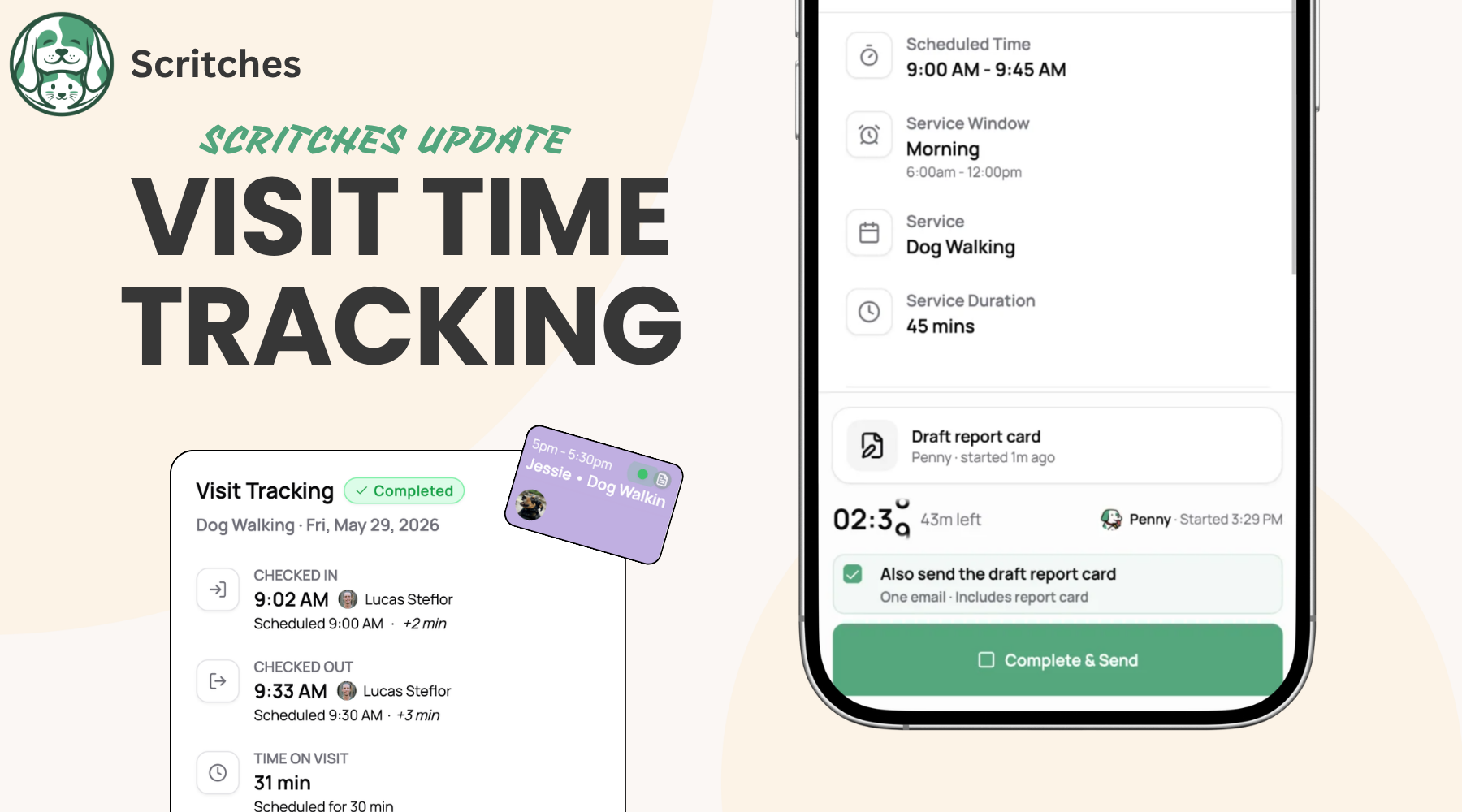
This update is about what happens on the ground: starting and finishing visits, knowing at a glance what still needs doing, and getting the right info into the right hands (yours, your staff's, and your clients').
A lot has changed since the last update. Here's the tour.
👉 Enable Visit Time Tracking on a service now to get started.
Visit Time Tracking
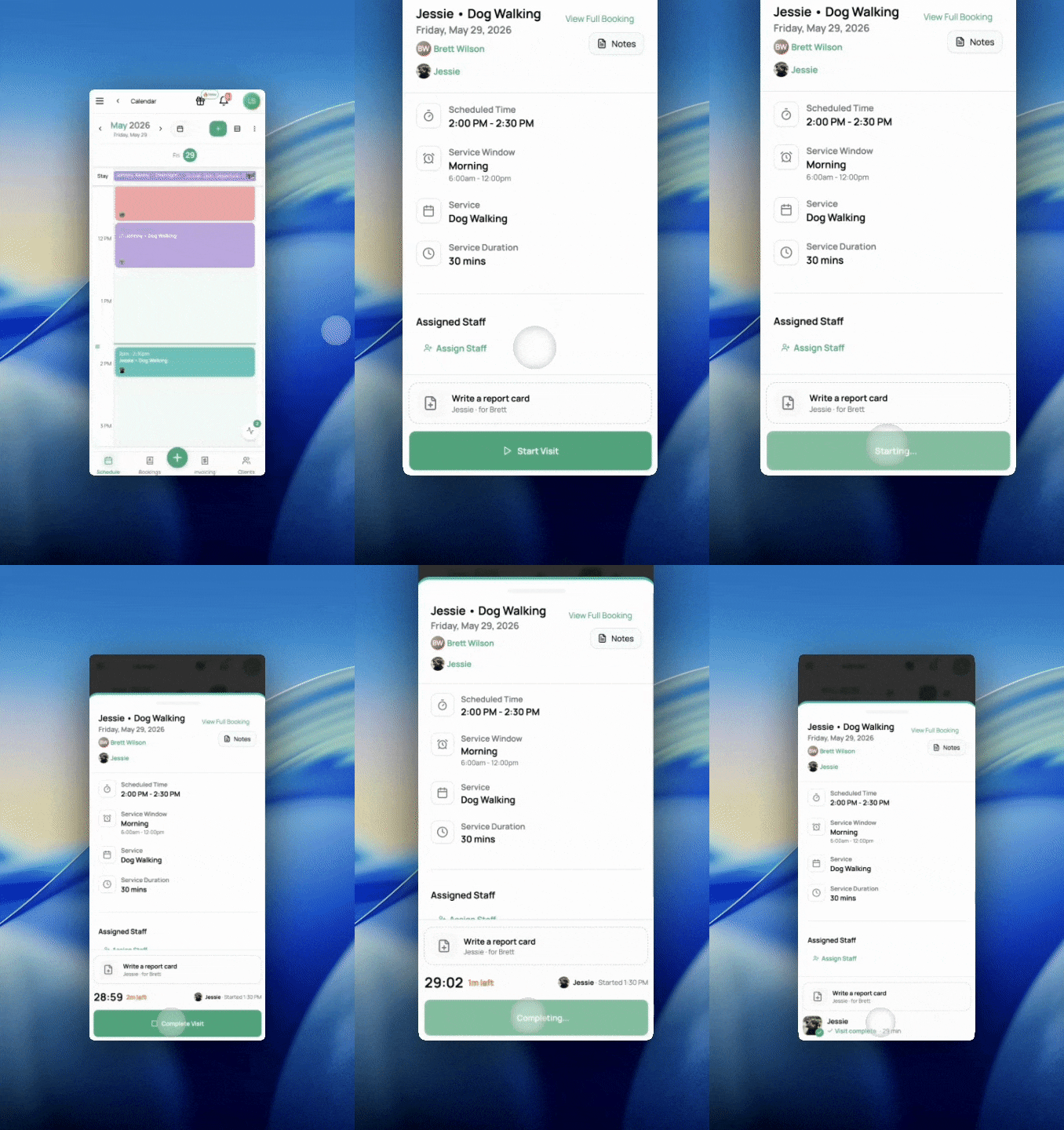
Start and complete visits right from the calendar. Tap to start when you arrive, tap to complete when you're done, and Scritches stamps the time for you.
Proof for your clients. Check-in and check-out times appear on the report card, so the pet parent sees exactly when you arrived and how long you stayed.
Eyes on your team. A glance at the calendar shows who's started, who's mid-visit, and who's wrapped, in real time.
Optional notifications when a visit starts or finishes, if you want them.
👉 Learn more in the Visit Tracking help article
Has Scritches made your life easier?

Quick interruption, and then back to the features.
If Scritches has saved you time, helped you book more, or made your clients a little happier, I'd really love to hear about it, and I'd love to share it. I’m putting together a set of customer stories to showcase how businesses use Scritches.
It's nothing formal. Send a note to lucas@scritches.io saying you’re interested. The ones I feature get a spotlight on the main site, my eternal gratitude, and a bit of SEO backlink juice (if that’s your thing).
Okay… back to it.
Calendar Improvements
The calendar got the most love this round. The bigger idea behind all of it: this is a step toward turning your calendar into not just a calendar, but a full operational dashboard, the thing that tells you what to do, not just what's booked.
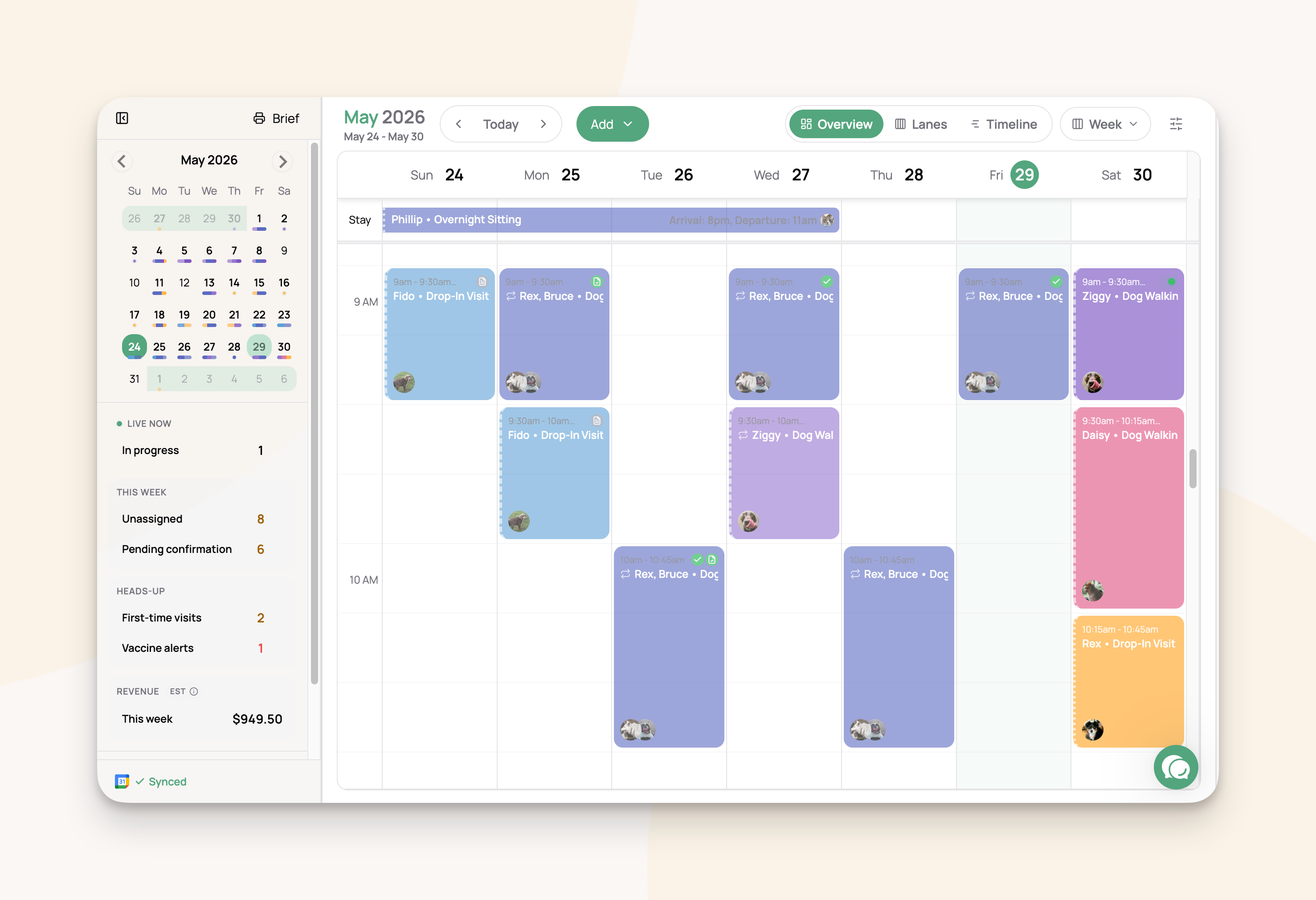
Your calendar report
On top of your visits, there's now a live report that surfaces what needs your attention: late and overdue visits, what's in progress, what's up next, unassigned visits, report cards waiting to be sent, pending confirmations, vaccine alerts, first-time clients, and booked revenue for the view you're in.
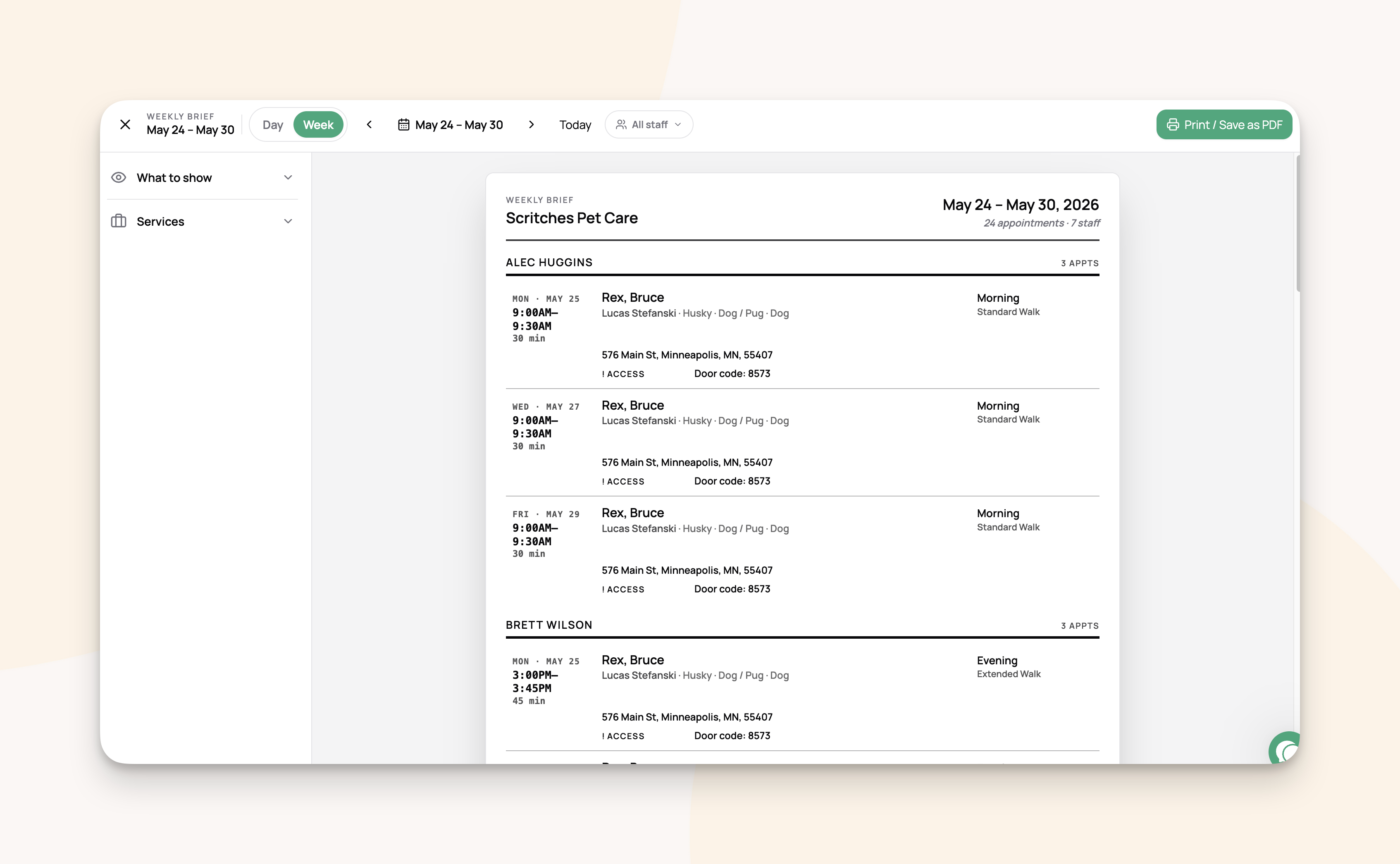
The printable/downloadable Brief
Some days you just want it on paper. The Calendar Brief is a clean, printable/downloadable run-down of your day or week, with every detail you need to do the job. Perfect for schedule sharing, easy offline access, or if you just like a more minimal view.
Everything else on the calendar
While we were in there:
New status indicators on events: in-progress, completed, and report card sent vs. still a draft
Smoother, more accurate drag-and-drop when moving visits around
Layout cleanups on both desktop and mobile
A pile of small UI fixes and refinements
Report Cards: Autosaving & Bigger Photos
The Report Card creation process got its plumbing ripped out and replaced. It’s now more reliable and faster.
Everything saves automatically as you fill it out, no more manual draft saving. And photos got an upgrade too: bigger, higher-quality images that upload as you go instead of one long wait when you send.
Add to Calendar
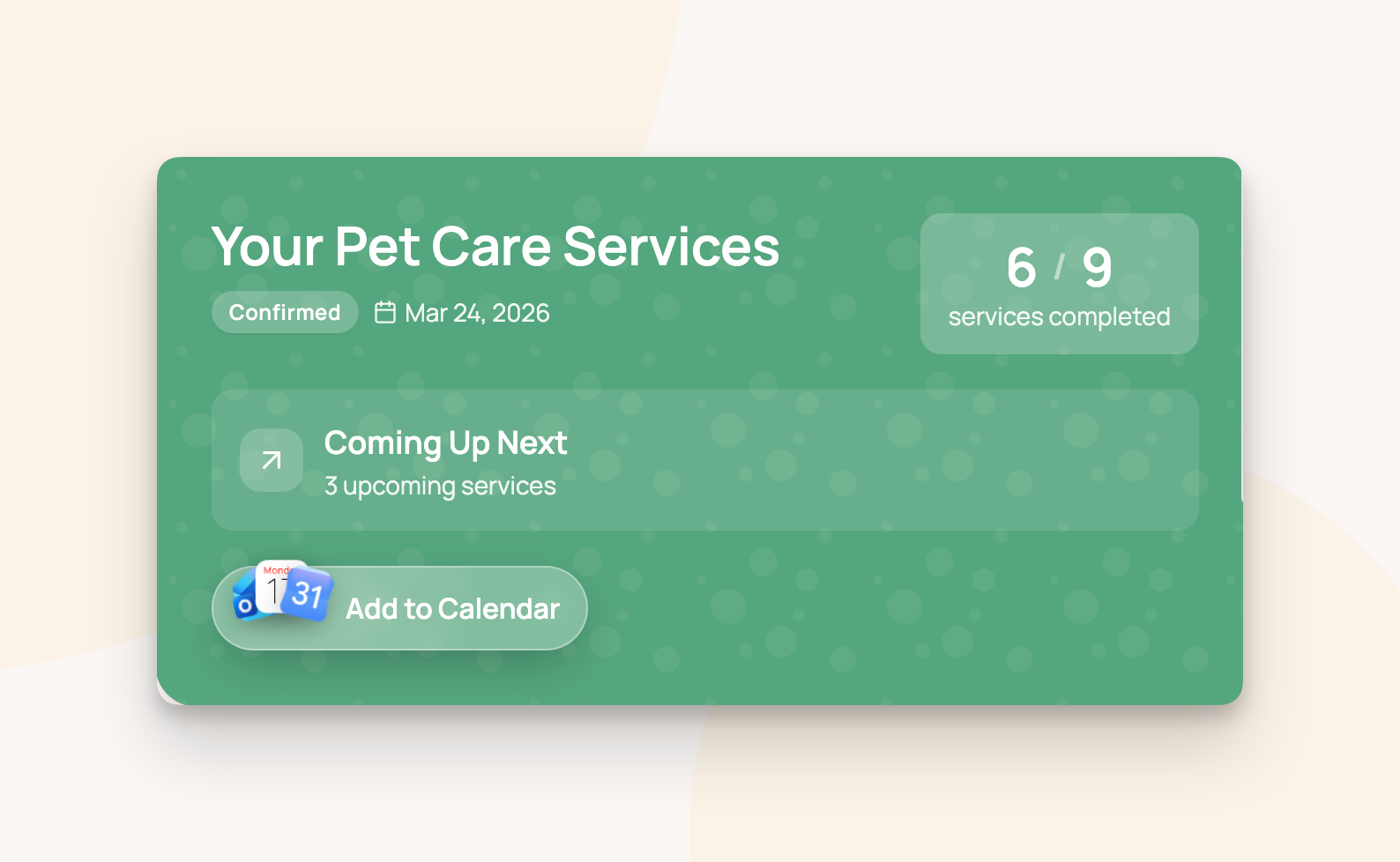
Pet parents can now add their bookings straight to their own calendar, keeping them more in the loop. From their portal, a single tap drops it into Google Calendar, Apple Calendar, or Outlook with all the details filled in.
The booking confirmation email also includes a standard calendar file (.ics) so the visit can be saved to whatever calendar app they use, right from their inbox.
Smaller improvements
A grab bag of upgrades and fixes that didn't need their own headline:
Intake form notifications. Get an email the moment a new client submits your intake form, so nothing sits unseen.
Smarter repeat booking scheduling. Repeat bookings now fill your calendar at a longer set window ahead, 90 days by default, and you can change that "advance scheduling" window per repeat (more if you like a long runway, less if you'd rather keep the calendar tidy). Plus, a host of UX and reliability fixes.
Currency formatting, fixed everywhere. No more stray $ signs when you should be seeing a £.
Client portal status polish. A cleaner, clearer status for tracking your client portal invites.
Various bug fixes and stability improvements throughout.
As always, I'd love to hear what you think. Give visit time tracking a spin and let me know how it holds up out in the field.
More coming soon. ✌️
- Lucas
👉 Enable Visit Time Tracking on a service now to get started.