Custom Client Rates & Raising Your Rates
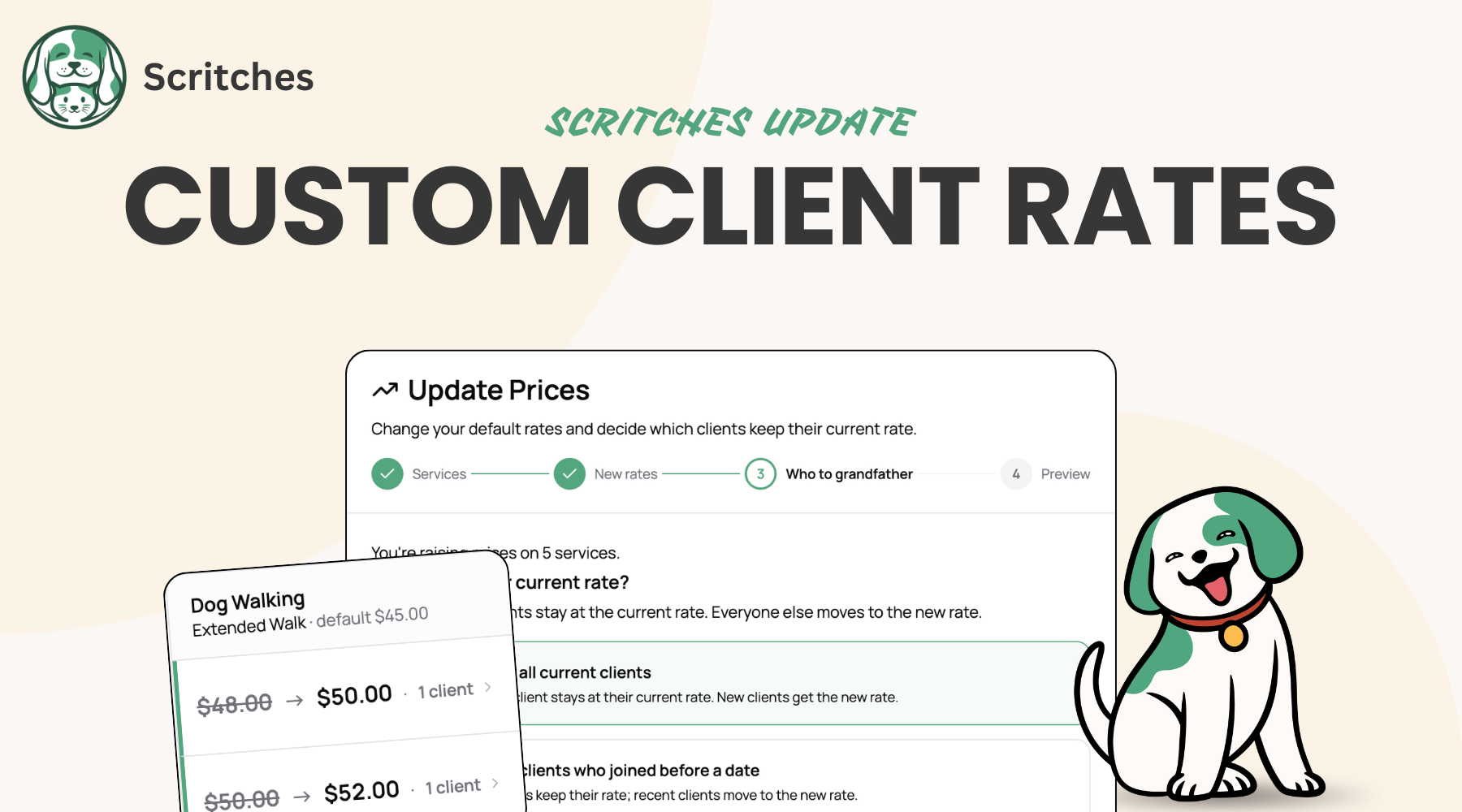
If you've ever needed to charge a long-time client a different rate or raise your rates across the board, you can do it natively now. No more editing invoice line items every billing cycle.
👉 Try it on a client, or read the full guide in the Help Center.
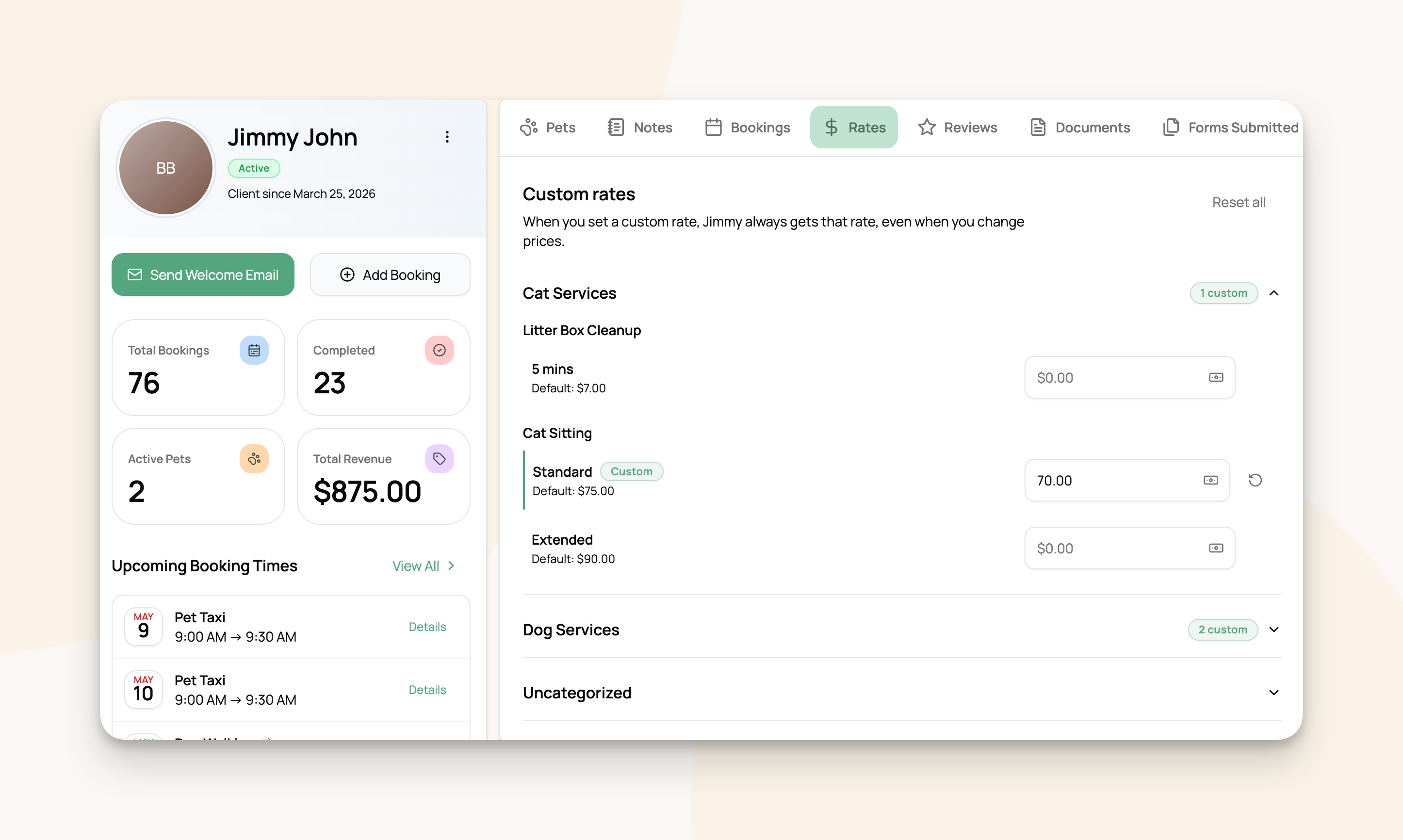
🆕 Set a custom rate for any client
Open a client's profile, click the new Rates tab, type the price you want them to pay. Done.
The next booking and every booking after it uses the rate you set, even when you raise your defaults later. Clients will automatically see the updated price when booking online.
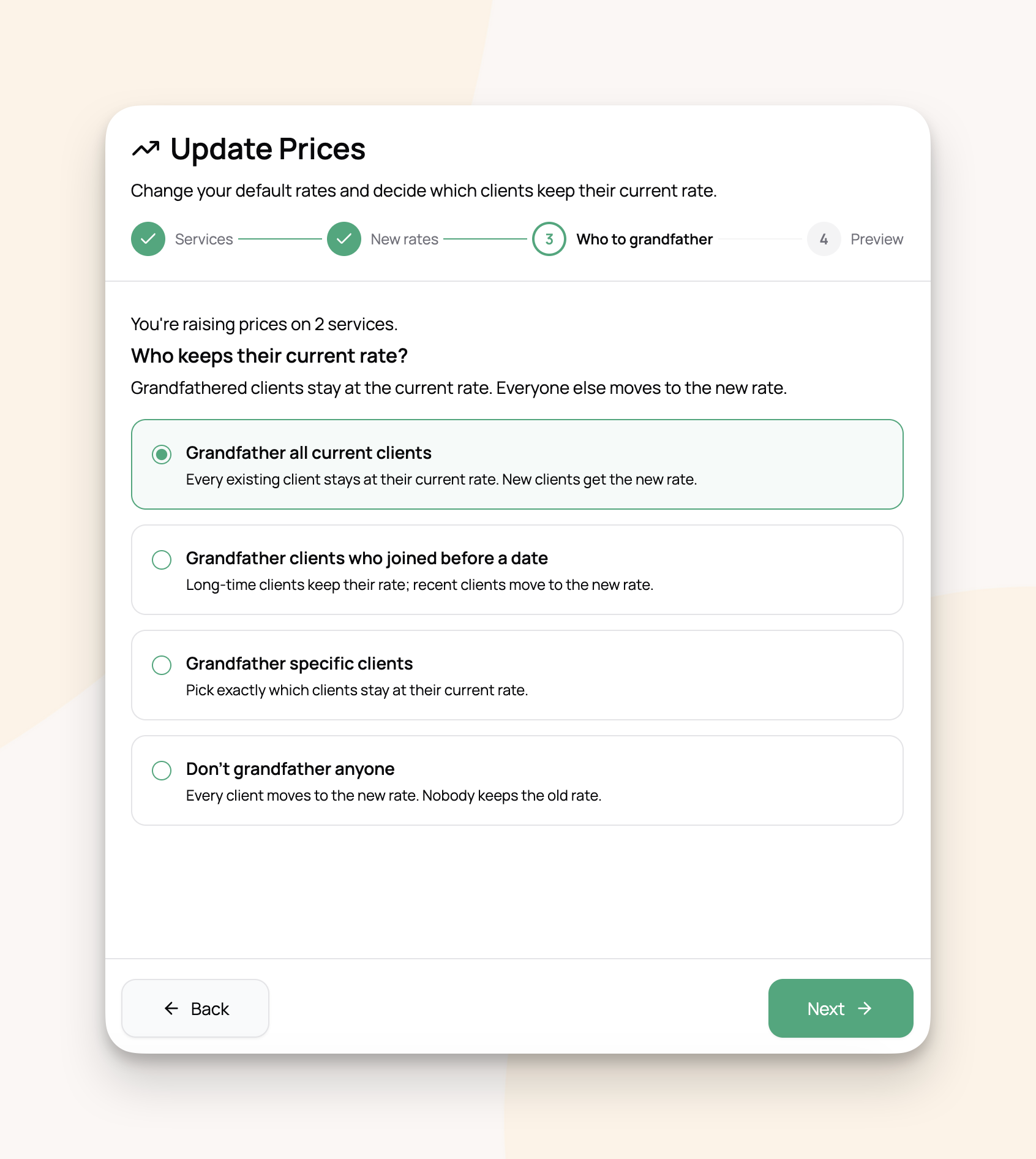
📈 Raise your prices, keep your long-timers happy
The annual rate raise is one of the most stressful parts of running a pet care business. You want to charge what your work is worth. You also don't want to lose the family who's been booking weekly walks for three years.
The new Update Prices tool does both at once. Set your new defaults, pick which existing clients keep their current rate, and apply. New clients sign up at the new rate. Your long-timers stay where they are.
Plus, bulk-manage your custom rates anytime
Once you've grandfathered a group of clients, you'll eventually want to bump them up too. The Manage custom rates tool lets you adjust any tier of custom-rate clients in one pass: update them, replace them, or remove the custom rate entirely.
Like with any big feature, I'd love to hear how it lands. If you raise prices with the new tool, or set up a custom rate for a specific client, drop me a note.
More coming soon. ✌️
- Lucas