Changelog

Follow new updates and improvements to Scritches.

May 29th, 2026

This update is about what happens on the ground: starting and finishing visits, knowing at a glance what still needs doing, and getting the right info into the right hands (yours, your staff's, and your clients').

A lot has changed since the last update. Here's the tour.

πŸ‘‰ Enable Visit Time Tracking on a service now to get started.


Visit Time Tracking

Start and complete visits right from the calendar. Tap to start when you arrive, tap to complete when you're done, and Scritches stamps the time for you.

  • Proof for your clients. Check-in and check-out times appear on the report card, so the pet parent sees exactly when you arrived and how long you stayed.

  • Eyes on your team. A glance at the calendar shows who's started, who's mid-visit, and who's wrapped, in real time.

  • Optional notifications when a visit starts or finishes, if you want them.

πŸ‘‰ Learn more in the Visit Tracking help article


Has Scritches made your life easier?

Quick interruption, and then back to the features.

If Scritches has saved you time, helped you book more, or made your clients a little happier, I'd really love to hear about it, and I'd love to share it. I’m putting together a set of customer stories to showcase how businesses use Scritches.

It's nothing formal. Send a note to lucas@scritches.io saying you’re interested. The ones I feature get a spotlight on the main site, my eternal gratitude, and a bit of SEO backlink juice (if that’s your thing).

Okay… back to it.


Calendar Improvements

The calendar got the most love this round. The bigger idea behind all of it: this is a step toward turning your calendar into not just a calendar, but a full operational dashboard, the thing that tells you what to do, not just what's booked.

Your calendar report

On top of your visits, there's now a live report that surfaces what needs your attention: late and overdue visits, what's in progress, what's up next, unassigned visits, report cards waiting to be sent, pending confirmations, vaccine alerts, first-time clients, and booked revenue for the view you're in.

The printable/downloadable Brief

Some days you just want it on paper. The Calendar Brief is a clean, printable/downloadable run-down of your day or week, with every detail you need to do the job. Perfect for schedule sharing, easy offline access, or if you just like a more minimal view.

Everything else on the calendar

While we were in there:

  • New status indicators on events: in-progress, completed, and report card sent vs. still a draft

  • Smoother, more accurate drag-and-drop when moving visits around

  • Layout cleanups on both desktop and mobile

  • A pile of small UI fixes and refinements


Report Cards: Autosaving & Bigger Photos

The Report Card creation process got its plumbing ripped out and replaced. It’s now more reliable and faster.

Everything saves automatically as you fill it out, no more manual draft saving. And photos got an upgrade too: bigger, higher-quality images that upload as you go instead of one long wait when you send.


Add to Calendar

Pet parents can now add their bookings straight to their own calendar, keeping them more in the loop. From their portal, a single tap drops it into Google Calendar, Apple Calendar, or Outlook with all the details filled in.

The booking confirmation email also includes a standard calendar file (.ics) so the visit can be saved to whatever calendar app they use, right from their inbox.


Smaller improvements

A grab bag of upgrades and fixes that didn't need their own headline:

  • Intake form notifications. Get an email the moment a new client submits your intake form, so nothing sits unseen.

  • Smarter repeat booking scheduling. Repeat bookings now fill your calendar at a longer set window ahead, 90 days by default, and you can change that "advance scheduling" window per repeat (more if you like a long runway, less if you'd rather keep the calendar tidy). Plus, a host of UX and reliability fixes.

  • Currency formatting, fixed everywhere. No more stray $ signs when you should be seeing a Β£.

  • Client portal status polish. A cleaner, clearer status for tracking your client portal invites.

  • Various bug fixes and stability improvements throughout.


As always, I'd love to hear what you think. Give visit time tracking a spin and let me know how it holds up out in the field.

More coming soon. ✌️

- Lucas

πŸ‘‰ Enable Visit Time Tracking on a service now to get started.

May 8th, 2026

New

If you've ever needed to charge a long-time client a different rate or raise your rates across the board, you can do it natively now. No more editing invoice line items every billing cycle.

πŸ‘‰ Try it on a client, or read the full guide in the Help Center.


πŸ†• Set a custom rate for any client

Open a client's profile, click the new Rates tab, type the price you want them to pay. Done.

The next booking and every booking after it uses the rate you set, even when you raise your defaults later. Clients will automatically see the updated price when booking online.

Read the full guide β†’


πŸ“ˆ Raise your prices, keep your long-timers happy

The annual rate raise is one of the most stressful parts of running a pet care business. You want to charge what your work is worth. You also don't want to lose the family who's been booking weekly walks for three years.

The new Update Prices tool does both at once. Set your new defaults, pick which existing clients keep their current rate, and apply. New clients sign up at the new rate. Your long-timers stay where they are.

Read the full guide β†’


Plus, bulk-manage your custom rates anytime

Once you've grandfathered a group of clients, you'll eventually want to bump them up too. The Manage custom rates tool lets you adjust any tier of custom-rate clients in one pass: update them, replace them, or remove the custom rate entirely.

Read the full guide β†’


Like with any big feature, I'd love to hear how it lands. If you raise prices with the new tool, or set up a custom rate for a specific client, drop me a note.

More coming soon. ✌️

- Lucas

πŸ‘‰ Try Custom Rates now, or read the Help Center guide.

March 26th, 2026

New

Improved

Fixed

Repeat bookings have been a highly requested feature since Scritches launched, and they're finally here.

If you have clients you see every week, you no longer need to create the same bookings over and over. Set up a weekly pattern once, and Scritches keeps your calendar filled automatically.

πŸ‘‰ View the Help Center for full information, or Create a Repeat Booking Now


Repeat Bookings

The idea is simple: define a recurring schedule for a client, and Scritches takes care of the rest.

Pick the days of the week, set the times and services, choose a frequency (weekly, biweekly, or every 3 weeks), and your calendar fills itself. New visits are created automatically a few weeks ahead, so you always have upcoming bookings ready to go.

Perfect for the client whose two dogs get walked every Monday, Wednesday, and Friday at noon. Client on vacation? Pause the repeat and resume when they return; the visits, assignments, and invoices all take care of themselves.

Clients can request repeats online

You can enable repeat booking requests on your online booking page per service. Clients build their own weekly schedule and submit it for your review. You can adjust the pattern, assign staff, and configure billing before approving.


Booking Wizard Improvements

The booking creation flow got some love in this update too.

  • Refreshed design with more options for building daily visit schedules

  • Staff can now be assigned directly in the booking wizard, before the booking is even created


Calendar Improvements

A handful of quality-of-life upgrades to the calendar:

  • Pet photos now appear on calendar events for quicker scanning

  • New Week Starts On setting (Sunday or Monday)

  • New Event Display Name setting to show events by client name or pet name(s)

  • General UI tweaks and polish

  • Fixed calendar zoom settings


Bug Fixes

  • Fixed a long-standing bug where an expired auth session would error out the app. Now the app automatically signs you out and redirects to login, instead of showing a broken page.

  • Various other bug fixes and stability improvements


As always, I'd love to hear what you think. If you give repeat bookings a try, let me know how it goes.

More coming soon. ✌️

- Lucas

πŸ‘‰ View the Help Center for full information, or Create a Repeat Booking Now

March 7th, 2026

New

Improved

Fixed

This is by far the biggest update Scritches has ever shipped. If you're a team-based business, this one's for you.

Scritches can now support teams of pet care pros, while still keeping the same clean, modern experience that solo businesses love.

This update introduces the new Growth plan, which unlocks a full set of tools designed for businesses managing staff.

πŸ‘‰ View the Help Center for full information, or Upgrade Now in your Billing Settings


Staff Management

The new Staff Management system gives you the tools to run and grow a real team inside Scritches.

Here’s what’s included:

Staff profiles & staff accounts

Add team members to your business with their own profiles and app access. Staff members can log in, view their schedule, and manage their assigned visits.

Roles & permissions

Assign roles like Owner, Admin, Senior Staff, or Staff to control exactly what each team member can access.

Staff scheduling

Bookings can now be assigned to specific staff members, and the calendar experience has been completely optimized for teams.

Built-in support for overnight visits

Scritches continues to fully support overnight pet sitting through stay scheduling.

Overnight bookings can span multiple days, and each individual night or day of the visit can be assigned to a specific staff member. This makes it easy to handle situations where different sitters cover different nights of the same stay.

Staff compensation also works seamlessly with overnight services. Pay can be configured per night or per day.

Staff compensation & payroll reports

Set compensation per service & surcharge, and export detailed earnings reports for payroll.

Examples include:

β€’ 80% of a dog walk
β€’ $10 per drop-in visit
β€’ Fixed rates or custom amounts per service

Reports are exportable and ready to use for bookkeeping or payroll. Staff can view their individual breakdown in the My Earnings page.

Automated daily schedule reminders

Each staff member can receive an email every day showing their upcoming visits, keeping everyone in the loop.

Team Highlights on your booking page

Showcase your team to potential clients directly on your booking page.


πŸ’° Growth Plan Pricing

The new Growth plan is designed to stay simple and affordable as your team grows.

Pricing is:

$39 / month + $12 per active staff member

A staff member only counts as active if they actually have bookings during that billing cycle.

Compared to similar platforms, Scritches remains an affordable option for growing teams.

For reference:

β€’ Time To Pet: $40 + $16 / active staff member
β€’ Scout: $39 + $18 / active staff member
β€’ Pet Sitter Plus: $28 + $14 / active staff member

ℹ️ New users can activate a 14-day free trial to give it a test run

πŸ‘‰ Full pricing information


Other Improvements

Calendar updates

Small UI redesigns for improved clarity, improved filtering options, and pending booking indicators now appear directly on calendar events

Invoicing and booking improvements

Bookings and invoices received a major internal overhaul. You and your clients can now see surcharges before an invoice is issued, giving much better visibility into pricing.

Changes include:

β€’ Weekend, holiday, and additional pet surcharges are now calculated per service, not just per booking
β€’ Surcharge breakdowns now appear on admin and client invoice views
β€’ Clients can see the full pricing structure earlier in the booking process

Note:
These improvements only apply to new bookings and bookings that have not yet had an invoice issued. Existing bookings and invoices will remain unchanged.

Invoice tip prompts

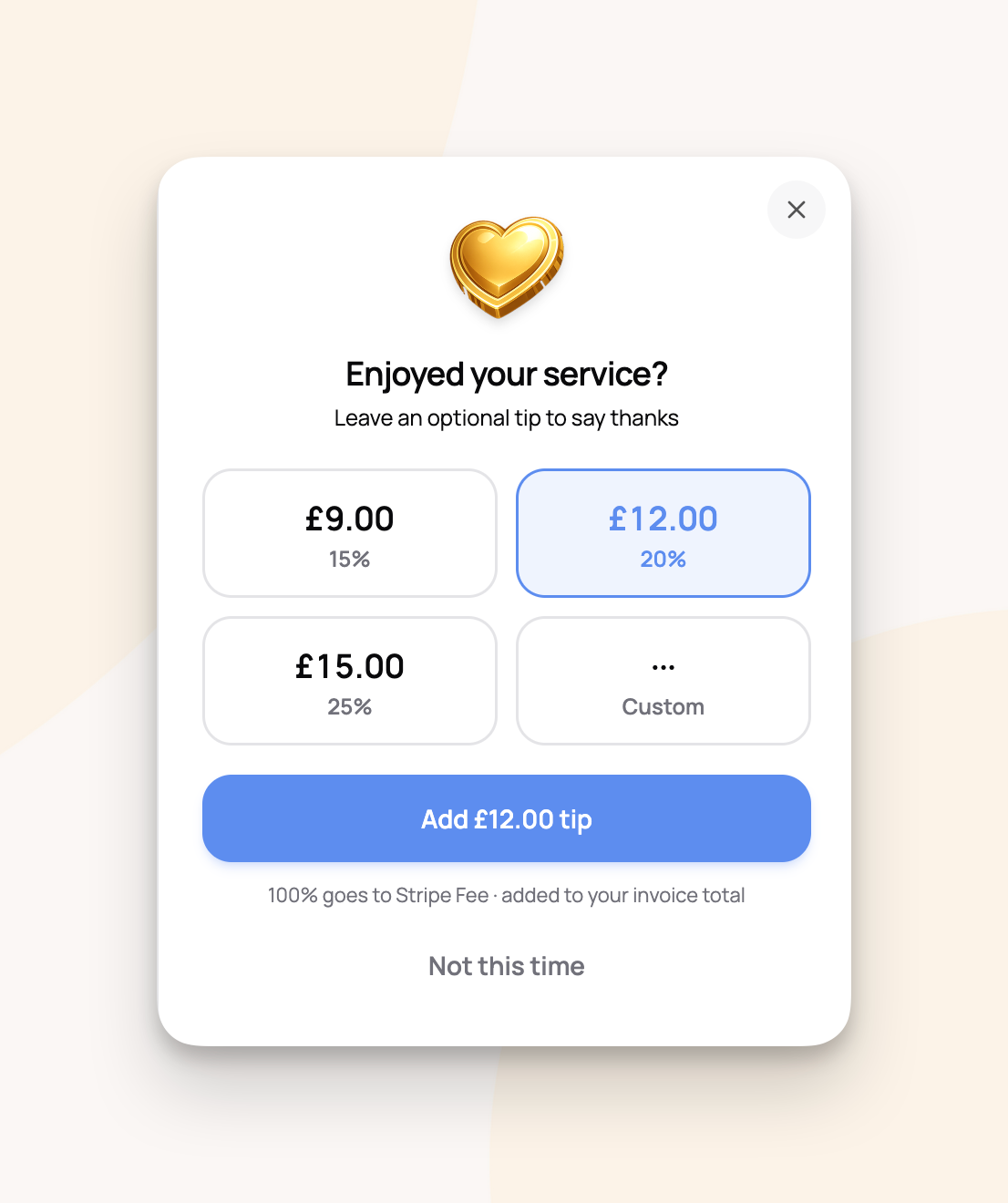
Businesses can now configure tip prompt visibility on invoices.

This can be enabled:

β€’ per invoice
β€’ or business-wide in settings

Portal login improvements

The portal login and signup experience has been improved, including displaying your business logo on the login page.

International formatting improvements

Improved formatting support for businesses operating in different countries.

Bug fixes and stability improvements

As always, plenty of bugs were squashed along the way.


Final note

This update has been in development for quite a while. Adding teams touches nearly every part of the product, and a lot of work went into making sure it feels simple and reliable instead of complicated.

Scritches started as a tool for solo pet sitters. Now it’s ready to support growing pet care teams, too.

If you try out Staff Management, I’d love to hear what you think. Feedback, ideas, and bug reports are always welcome.

More improvements coming soon.

Thanks for being part of Scritches. ✌️

πŸ‘‰ View the Help Center for full information, or Upgrade Now in your Billing Settings

January 29th, 2026

New

Improved

Fixed

I’ve been heads down since our last update, tightening bolts, smoothing edges, and fixing the stuff that’s been quietly annoying me and some of you for a while.

Here’s what’s new and improved.

πŸ‘‰ Checkout all of the new improvements yourself. Click here!


πŸ†• New Things

Decline booking workflow
You can now properly decline a booking request with an actual workflow behind it instead of awkward workarounds.

Configurable invoice issue dates and due dates
You can now configure exactly when you want your invoice issue & due dates to be set based on the bookings inside of it.

Allowed species on intake forms
Intake forms can now be restricted to specific species, which will help personalize your intake and make the form-filling process easier.

Better pet age and birthday handling
Pet age is now more flexible:

  • You can set an approximate age like β€œ8 years” or β€œ3 months” if you don’t know the exact birthday

  • Or you can set an exact birthday and let Scritches handle the math

Birthdays also now surface in pet profiles and around the app as notification indicators starting 7 days before, so you actually have time to notice and not realize it the day after.


✨ Other Improvements

Intake forms

  • Much better validation for required fields and clearer feedback when something is missing

  • PDF agreements now display better

Invoices

  • Override options for holiday, weekend, and additional pet surcharges

  • Better sorting in the invoicing dashboard so things don’t feel randomly ordered anymore

  • URLs within payment method instructions are automatically identified and turned into clickable links

Report cards

  • The report card flow got a big internal overhaul. Not a huge visual change, but way more stable & reliable

Booking details page

  • Lots of UX and visual improvements, clearer layout, better hierarchy, less cognitive load

Google Calendar sync

  • This one’s big: events now sync asynchronously. Translation: syncing is 10x faster and much more reliable

Data exports

  • You can now export clients, pets, invoices, and payments to CSV. For spreadsheets, accountants, backups, or just peace of mind

General UI/UX

  • Tons of refinements across the app. Buttons, spacing, copy, flows, and sharp edges that needed sanding down


πŸ› Bug fixes and stability

Tons of bug fixes across the app. Some big, some small.

The goal here was simple: fewer surprises, smoother experience.


Final note

It’s been a little while since a big, shiny feature shipped, and that was intentional. This work focused on strengthening the foundation of Scritches so it feels solid today and can support more powerful features and growing users in the future.

Now that things are feeling more solid under the hood, there’s plenty more improvements coming soon!

That’s all for now folks. As always, thank you for being a part of Scritches. ✌️

πŸ‘‰ Checkout all of the new improvements yourself. Click here!

December 24th, 2025

2025 was Scritches first real year. Starting the year with the early beta: a simple app w/ bugs galore, Scritches has morphed into a polished product with real businesses seeing real growth. So far, 465 businesses have tried out Scritches, with 51 businesses having an active subscription. I think that’s pretty cool.

Today, I wanted to close the year with a quick dive into the data and numbers of Scritches. The numbers tell a story of serious usage and pet care businesses running at scale.

Here’s what the year looked like.

πŸ‘‰ Still wanting to give Scritches a try? Click here!


πŸ“… A massive amount of care delivered

Across the platform in 2025:

  • 2,082 bookings created

  • 672 bookings created online

  • 5.7 bookings per day on average

  • 39,770 hours of service delivered

Care came in many forms:

  • 704 stay-based services like overnights and daycare

  • 4,497 appointments like walks and drop-ins

  • 2,705 total days of overnight and stay-based care

That is real, full-time work happening every day.


🐢 Nearly 2,000 pets in the Scritches universe

The pet data this year was especially fun.

  • 1,955 total pets in the system

  • 1,221 pets received care this year

Top pet names across the platform:

  1. Daisy (17)

  2. Charlie (16)

  3. Millie (12)

  4. Bella (11)

  5. Sophie (9)

Other highlights:

  • Most popular breeds include Domestic Shorthair, Golden Retriever, and Mixed Breed (Medium)

  • Oldest pet: Gingy, a legendary 25.4 years old

  • Most booked pet: Sudd, with 31 bookings


πŸ‘₯ Clients kept coming back

Trust shows up clearly in the client data.

  • 1,225 total clients

  • 41.7% repeat client rate

  • 82 super loyal clients with 5 or more bookings

  • 356 agreements signed

  • 196 intake forms submitted

One VIP client alone booked 40 times this year.
One family trusted a sitter with 8 pets


⏰ When things got busiest

Patterns emerged clearly this year:

  • Busiest day of the week: Friday, with 891 appointments

  • Busiest month: December, with 1,135 appointments

  • Busiest single day: December 23, with 59 appointments

  • About 21.5 percent of bookings happened on weekends

Pet care does not take days off, and neither does this community.


πŸ’° Real money moving through real businesses

Across all Scritches businesses in 2025:

  • $306,812 invoiced

  • $208 average invoice

Extras added up to:

  • $2,442 in tips, about 488 bags of dog treats

  • $3,022 in holiday fees

  • Highest tip received: $250

Most common payment methods were Venmo (45.8%), Zelle (21.0%), bank transfer (20.5%), cash (9.3%), and check (3.4%)


⭐ Pet parents were extremely happy

And communication stayed front and center:

  • 897 report cards sent

  • 4,931 photos shared

  • 51 videos uploaded

Engagement and feedback stayed consistently strong.

  • 70 reviews collected

  • 4.91 star average rating

  • 98.6 percent of reviews were 5 stars

  • 95.7 percent happiness score

That is a lot of peace of mind delivered.


πŸŽ‰ Thank you, seriously

Thank you for being part of the Scritches story in 2025. These numbers represent real work, real trust, and real businesses growing stronger every day.

And we’re not stopping here. I have so many plans and so much in store for 2026. While Scritches will continue to evolve, the core will stay the same: a modern, thoughtful product that removes friction from your day, gives you back time, and creates experiences your clients genuinely love.

I cannot wait to see what we build together.

Cheers πŸ™‚πŸ₯‚,

Lucas

πŸ‘‰ Still wanting to give Scritches a try? Click here!

October 30th, 2025

Happy Thursday! This update is all about smoother workflows, a better product experience, and a little something that lets you spread the Scritches love while earning free time on your subscription.


Refer a Friend

Give a month, get a month
Scritches now has a referral program! When you share your unique link and a friend subscribes, you both get a free month.

How it works:

  1. Share your referral link from the new β€œRefer a Friend” page

  2. Your friend signs up and gets their first month free

  3. Once they complete their first paid month, you’ll get a free month too

Your link can be shared anywhere: email, text, or social media. Rewards are currently managed manually, so once your referral completes their first month, I’ll apply your credit.

πŸ‘‰ You’ll find your personal referral link right in your settings under Refer a Friend.
Referred a friend without a link? Let us know at support@scritches.io

Referral Program

Quality of Life Updates

Instant Booking Confirmations
For businesses that want a faster booking flow, there’s now a toggle to auto-confirm bookings. When enabled, clients booking online will immediately receive a confirmation message and email. On your end, the booking will be created with a β€œConfirmed” status right away. Configure in your Online Booking Settings.

Instant Booking Confirmation

Reduced β€œAn Error has Occurred” Messages
Fixed a long-standing issue where app deployments triggered a confusing β€œError has Occurred” message that only went away after a manual page refresh. Scritches will now auto-refresh in these cases, reducing perceived errors dramatically.

Archiving Instead of Deleting
Clients, Pets, and Services can no longer be deleted outright; they’ll now be archived instead. This protects related data like bookings and invoices, preserves historical records, and prevents potential errors. It is also useful for immediately revoking client portal access, as well as reestablishing clients/services that were previously discontinued.

Booking Page Cover Photos
You can now reorder cover photos for your booking landing page to better match your branding

‼️ NOTICE: This update may have reordered your existing photos. Please verify your booking page cover photo display and update the ordering in your Online Booking Settings.

Easier Report Card Sharing
Added an option to share Report Cards via link or through your phone’s native sharing tools (like Messages or WhatsApp). Great for those who prefer texting updates directly.

Review Booster Improvements
Added a toggle to skip clients who already have a review on file. This keeps automatic review requests focused only on new or unreviewed clients and avoids excessive email sending. Configure in your Review Booster Settings.

Review Booster Settings

Booking Landing Page Service Description Truncation
Clients can now view your full service option descriptions without the text being truncated.

Swiss Localization
Added proper Swiss formatting for addresses, phone numbers, and currency (CHF).

Report Card Design Tweaks
Polished the layout and design for a cleaner, easier-to-read presentation.

Invoice Control
You can now manually mark invoices as Draft β†’ Unpaid. This will make the invoice visible to your client and enable online payments if Stripe is connected.

And of course…
Plenty of smaller bug fixes and refinements under the hood.


That’s all for this round! Thank you, as always, for the continued feedback.
If you haven’t yet, check out your referral link and help your friends discover Scritches ✌️

October 3rd, 2025

Big update today! We’re rolling out a refreshed pricing structure to better match where Scritches is headed, plus introducing a new feature that makes your visit updates more personal than ever.

Report Card Videos

Report Cards are now even better. On the Solo Pro plan, you can attach up to three 1-minute-long videos to Report Cards.

Videos are fast to upload, mobile-friendly, and integrate into the same clean Report Card design.

Report Card Videos Demo

Updated Pricing Plans

Until now, Scritches has offered just two options: Free and Pro. Moving forward, you’ll see four tiers:

  • Free – A great starting point to test the waters

  • Solo – Essential tools for running your business. This is the equivalent of the previous Pro plan

  • Solo Pro – Expanded features for those who wish to have them

  • Growth – Coming soon, for those managing staff and larger teams

View full details on the pricing page.

Free Plan Improvements

We’re giving everyone a little more breathing room:

  • Client limit raised from 4 to 5

  • No more booking limits, schedule as many as you need each month

Feature Changes

To keep the new tiers balanced, a few features are moving:

  • Review Booster and Google Calendar sync are now a part of the Solo Pro plan

  • If you already purchased the old Pro plan, don’t worry, you’ll be grandfathered in with continued access to these features.

  • If you’re on Free and thinking of upgrading soon, reach out to support and you can be grandfathered too. The final date for grandfather requests is October 24th.


Online Payments Just Got Cheaper

Previously, Scritches added a 5% fee on online payments. That’s gone! Now you’ll only pay Stripe’s standard fee of 2.9% + 30Β’ per transaction.

You can choose whether to absorb the fee yourself or pass it through to clients at checkout.

That means more money stays in your and your client’s pocket, and you have flexibility in how you handle payments.

Stripe Processing Fees Settings

Promotion πŸŽ‰

The 20% promotional code is still running, now on monthly plans as well! Use code SCRITCHES2025 when checking out.

  • Active now through October 18th

  • Works on both new subscriptions and upgrades


That’s everything for this update! As always, thank you for being part of Scritches and for sharing the feedback. ✌️

September 18th, 2025

Happy Friday, everyone! Today, we’re releasing an exciting new feature to simplify your onboarding and make collecting information from clients a breeze.

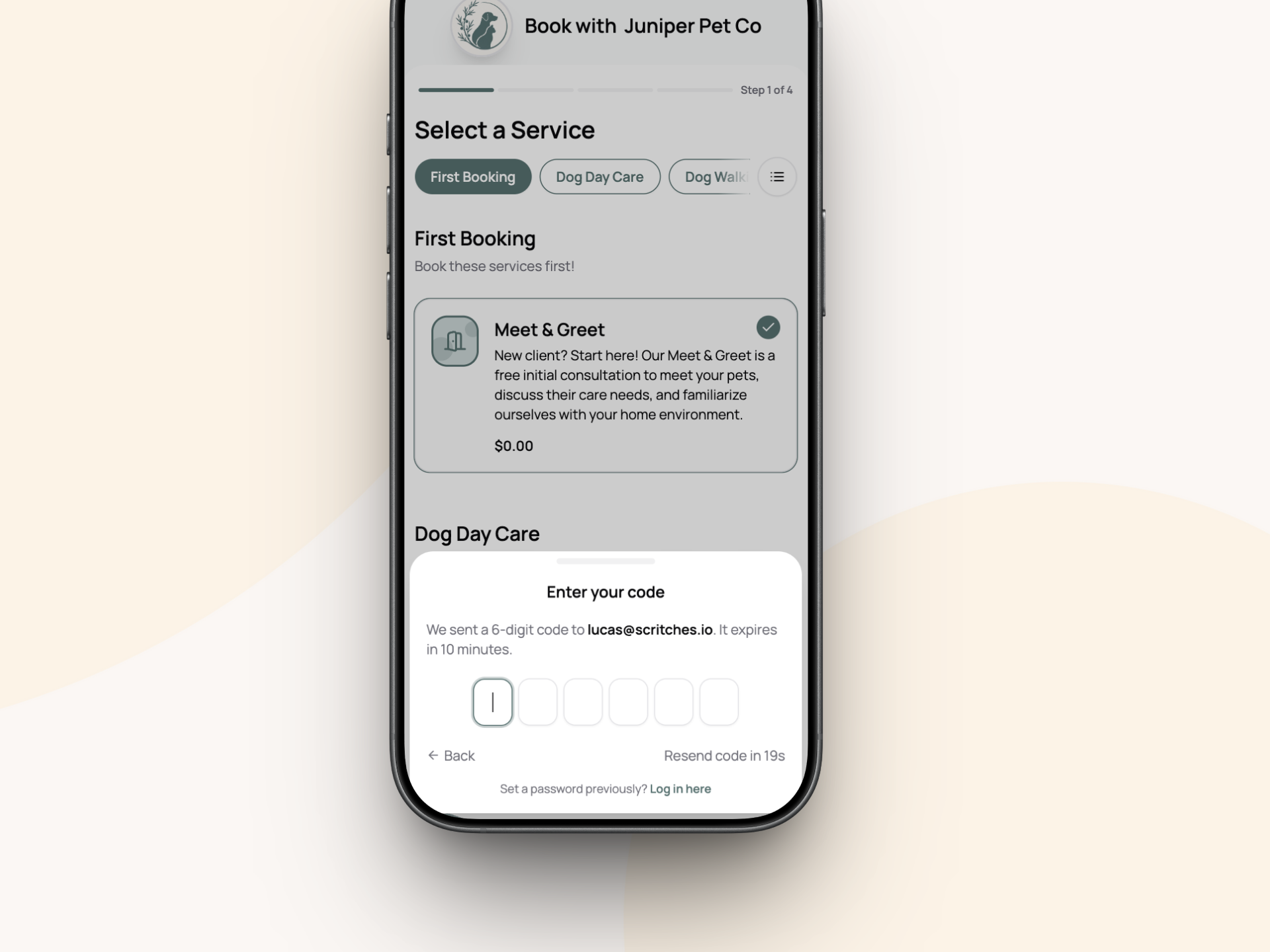
Intake Forms give you one clean flow to gather client info, pet details, and signed agreements, and integrate with existing Scritches features: online booking, the pet parent portal, and client & pet profiles to keep your process smooth and info centralized.

See the Help Center for detailed feature information πŸ‘‰ https://help.scritches.io/collections/1432531-intake-forms


What’s Included

Everyone can create one intake form for free. To build multiple forms and for full flexibility, you’ll need a Solo Pro membership. This is a new subscription tier to help Scritches scale, and will house more advanced features in the future (think email marketing, SMS, report card videos, etc.). Keep an eye out for the upcoming pricing model update early next week to learn more, or check out the Scritches Pricing Page.


Fully Customizable Forms

From the new Intake Forms link in your sidebar, you can create fully customizable forms. Start with default fields from client and pet profiles, then rearrange, require, or remove them as needed.

Add unlimited custom questions:

  • Short/long text

  • Dropdowns, radio, and checkboxes

  • Date, time, or both

  • File uploads

  • Vaccination records with expiration tracking

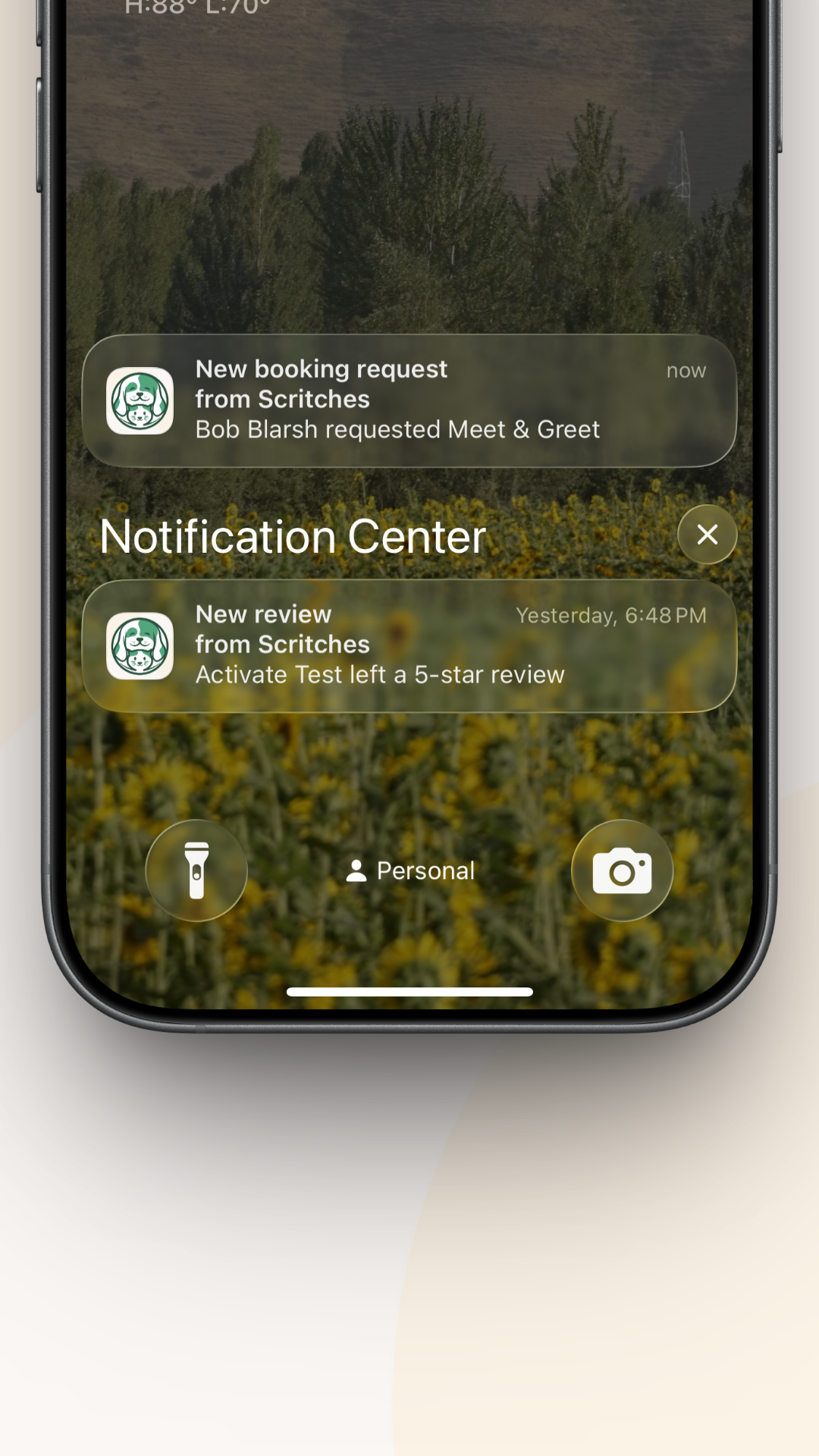
When a form is submitted, you’ll be notified right away. You can view, process, or delete it. Processing creates a new client/pet profile or merges details into an existing one. If the client is logged into their portal, forms auto-populate with their current info so they can just review and confirm.

Intake Form Submission

Agreement Requirements

You can attach required agreements directly to intake forms. If a client doesn’t already have a signed copy on file, they’ll be asked to sign before submitting the form.

Agreements + intake = one smooth onboarding flow.

Intake Form Required Agreement Signing

Online Booking Integration

Each service can have its own tailored intake form. Need extra details for overnights? Assign a special overnight intake. Want one universal flow? Assign a single form across all services.

That means when clients book online, they’re prompted for the exact information you need.

Intake form integrated into online booking

Portal Integration

On the new Portal settings page, you can set an intake form as required for registration.

This ensures new clients provide everything you need before accessing the portal. Existing β€œActive” clients or anyone with a submission already on file won’t need to repeat it.

Now, once that portal welcome email is sent, you can be sure your client will give you all of the info you need.


Vaccine Tracking

You can now require vaccination records as part of your intake forms, or upload them directly on a pet profile. Both clients and business users can add vaccine documents and set expiration dates.

Once saved, Scritches takes care of the rest:

  • Expiration Tracking – An icon will appear around the app 30 days before a vaccine expires, giving you and your client plenty of time to update records.

  • Expired Status – A different icon makes it clear when a vaccine is no longer valid

  • Flexible Uploads – Documents and expiration dates can be submitted through intake forms during onboarding or added later on the pet profile at any time.

This feature works hand-in-hand with Intake Forms, online booking, and client profiles to give you a full picture of each pet’s health requirements.

Vaccine tracking for pets

Real-World Use Cases

Intake forms help you move away from paper packets and scattered spreadsheets, putting all client and pet information into one place inside Scritches. They’re especially valuable for:

  1. Onboarding & Compliance

    • Replace emailed questionnaires or paper contracts by gathering client details, pet profiles, and signed agreements in one digital flow.

    • Require vaccination records with uploads and expiration dates before confirming bookings.

    • Integrate forms directly into online booking for a polished first-time experience.

    • Or require them at portal signup to guide clients through a structured onboarding flow.

  2. Ongoing Updates & Records

    • Send existing clients a pre-filled update form each year to refresh addresses, emergency contacts, medications, and routines.

    • Collect info even from clients who don’t want to create an account, simply share a link or send an email.

  3. Leads & Specialty Needs

    • Add lightweight inquiry forms to your website to capture new leads right where they find you.

    • Create focused forms like β€œNew Pet Add-On” or β€œTraining Goals” that feed directly into Scritches, keeping requests out of messy email threads.

    • Repurpose forms for any type of information you need, not just client intake.

You’re not locked into a single workflow. Use them however you want: send them one-off, or standardize them into your business’s process. This is smarter, automated data collection that adapts to your business and contributes to Scritches’ larger vision of not boxing you into rigid processes.


Other Updates

  • Calendar styling and bug fix – The monthly view should be much more usable now that the weeks properly align, and styling has been tweaked to fit more info

  • Pet Profile Picture Placeholders – Updated the default profile picture for pets to match the Scritches brand. They’re super cute, trust me.

  • Pet Profile Changes - When creating a pet, the only fields required are now Name and Species for greater flexibility. Additionally, Vet Name, Vet Phone, and Vet Address have been added to pet profiles.

  • Lots of bug fixes, as always


If you experience any issues with this new update, please share them or any feedback to the feedback portal! That’s it for now folks ✌️

September 4th, 2025

New

Improved

This week, we have an update with more refinements than sweeping additions, but these changes should noticeably smooth out your daily workflow.

Expect larger feature additions like Intake Forms and Staff Management in the coming months!


Assigning bookings to invoices

Flexible Invoicing

Invoicing is no longer locked to one booking per invoice. You can now:

  • Group multiple bookings onto a single invoice (perfect for weekly or monthly billing)

  • Add new bookings to an existing invoice

  • Reassign bookings between invoices

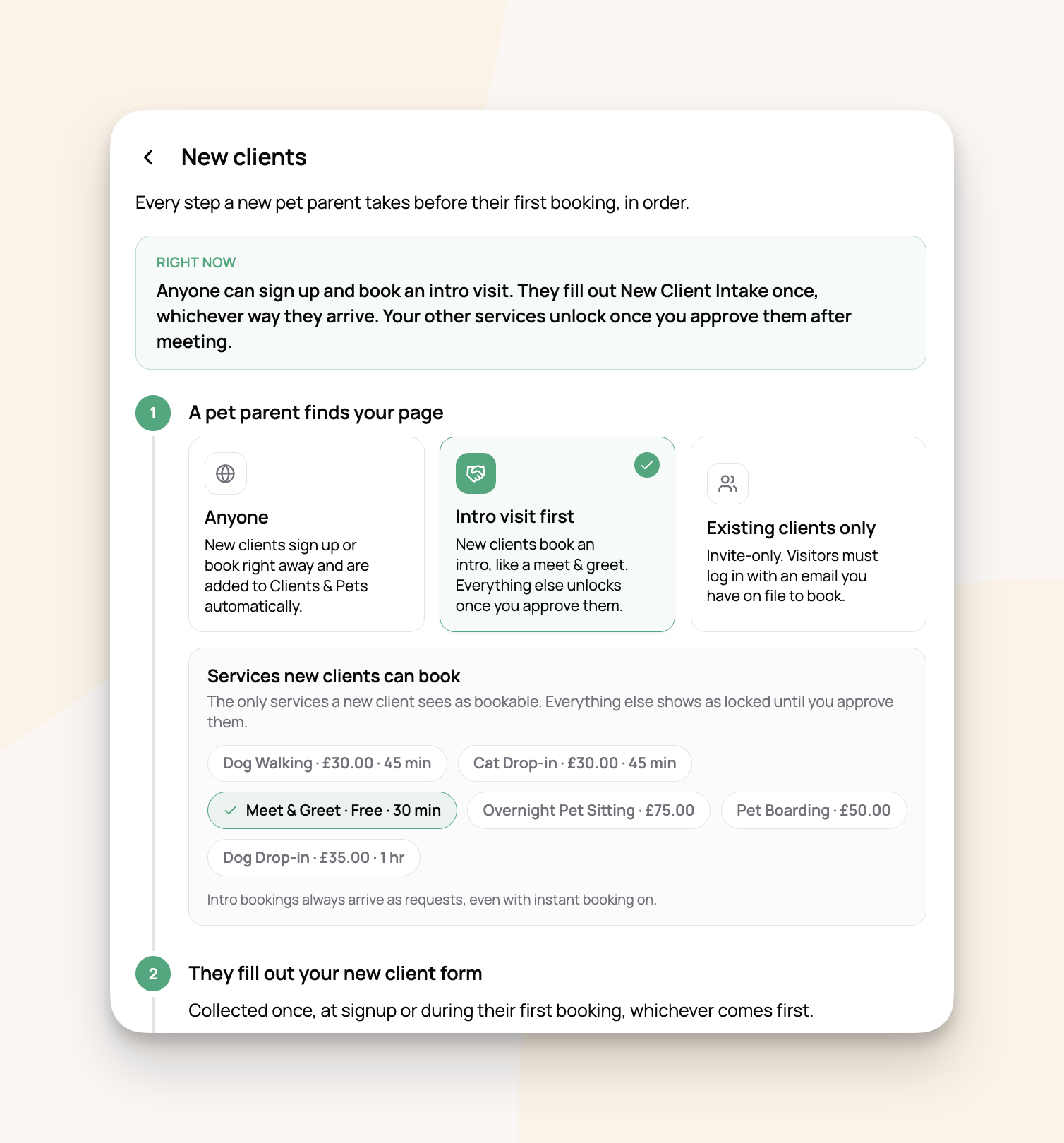
  • Or skip invoicing altogether for things like Meet & Greets

For example, you might run a client’s dog walks all week, then send them one invoice on Friday. Or you could bill monthly for a standing boarding arrangement. And if a client just books a casual Meet & Greet? No need to generate an invoice at all.

This flexibility should match more real-world workflows while still staying compatible with the old one-to-one approach if that’s your style.


Booking limits to avoid overbooking

Automatic Availability Blocking After Limit

Thanks to your feedback, stay services like Overnights and Boarding now respect booking limits automatically.

Here’s how it works: set a daily limit for a service in your Availability settings. If you configure Overnights with a limit of β€œ1 per day,” and a client books September 1–5, your calendar will automatically show you as unavailable on September 2–4. No more manual blocking, no more double-bookings.

This feature gives you the same control as Service Window Limits, but applied across full days. It’s flexible enough to use on any service, and should cut down on administrative overhead.


Client and pet notes

Client & Pet Notes

You could previously add a single note per client or pet, but the experience wasn’t great. Now you’ll find centralized note views on bookings, client profiles, and pet profiles.

You can create as many notes as you’d like, with full text formatting, and review them in the right places without hunting around. Think medication instructions, temperament updates, or quick reminders, all neatly organized where you need them.


Smaller Improvements

  • Calendar performance boost – Events now load month by month instead of all at once. This cuts down on large queries and makes the calendar feel much faster.

  • Pet Parent Portal fix – Client statuses now properly switch to Active the first time they log in.

  • Branding upgrade – Your online booking logo now carries through to invoices, receipts, and PDFs


A Public Roadmap

I’ve started maintaining a public roadmap: feedback.scritches.io/roadmap.

This is where you’ll see both major feature efforts and smaller user-submitted improvements. You can also upvote what matters most to you, which I weigh heavily when deciding what to build next.

Check it out, follow along, and let me know what you’d like to see!


That’s all for now. Thanks as always for using Scritches and for sharing the feedback that helps me keep improving it ✌️