Intake Forms: Collect Everything You Need
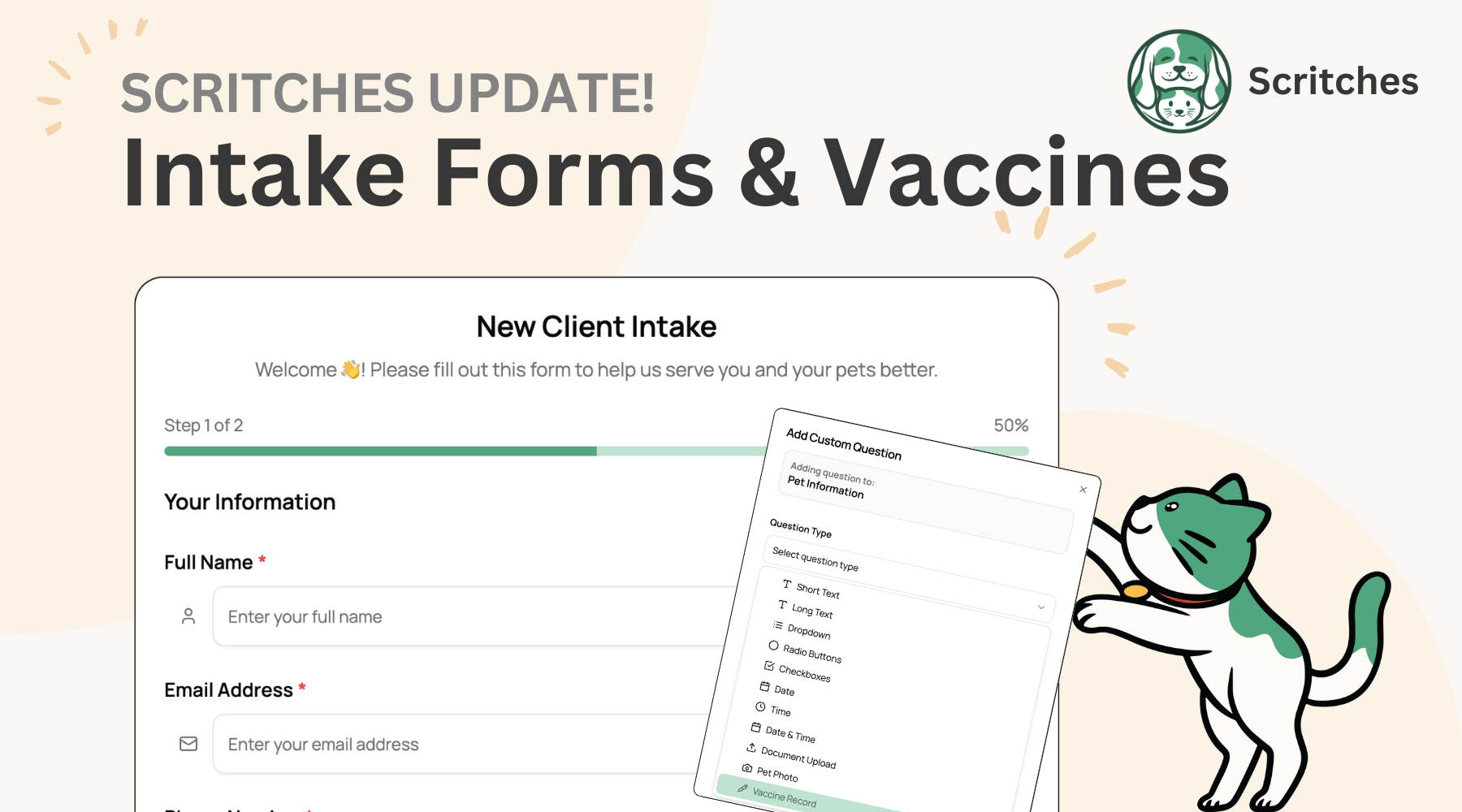
Happy Friday, everyone! Today, we’re releasing an exciting new feature to simplify your onboarding and make collecting information from clients a breeze.
Intake Forms give you one clean flow to gather client info, pet details, and signed agreements, and integrate with existing Scritches features: online booking, the pet parent portal, and client & pet profiles to keep your process smooth and info centralized.
See the Help Center for detailed feature information 👉 https://help.scritches.io/collections/1432531-intake-forms
What’s Included
Everyone can create one intake form for free. To build multiple forms and for full flexibility, you’ll need a Solo Pro membership. This is a new subscription tier to help Scritches scale, and will house more advanced features in the future (think email marketing, SMS, report card videos, etc.). Keep an eye out for the upcoming pricing model update early next week to learn more, or check out the Scritches Pricing Page.
Fully Customizable Forms
From the new Intake Forms link in your sidebar, you can create fully customizable forms. Start with default fields from client and pet profiles, then rearrange, require, or remove them as needed.
Add unlimited custom questions:
Short/long text
Dropdowns, radio, and checkboxes
Date, time, or both
File uploads
Vaccination records with expiration tracking
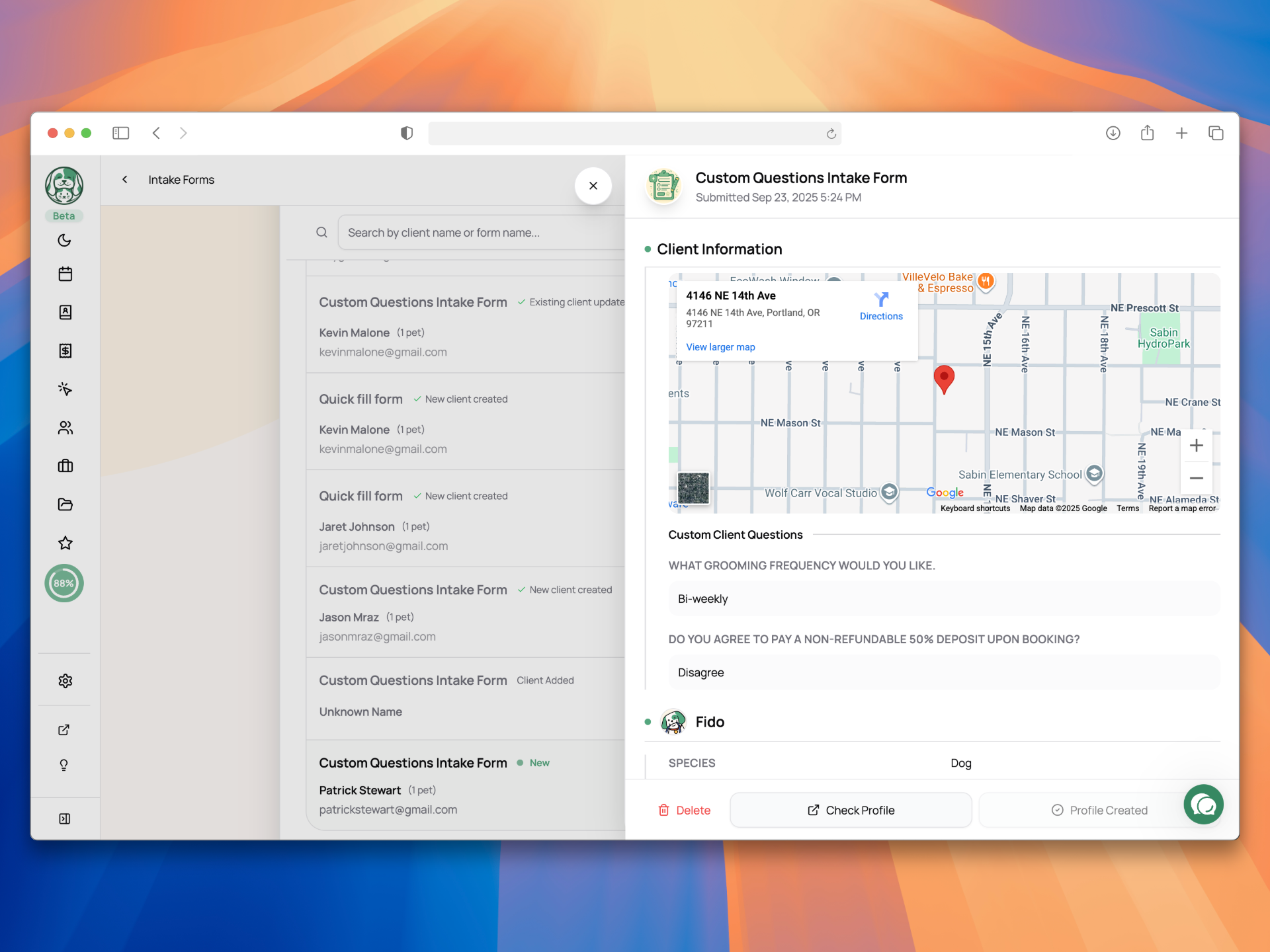
When a form is submitted, you’ll be notified right away. You can view, process, or delete it. Processing creates a new client/pet profile or merges details into an existing one. If the client is logged into their portal, forms auto-populate with their current info so they can just review and confirm.
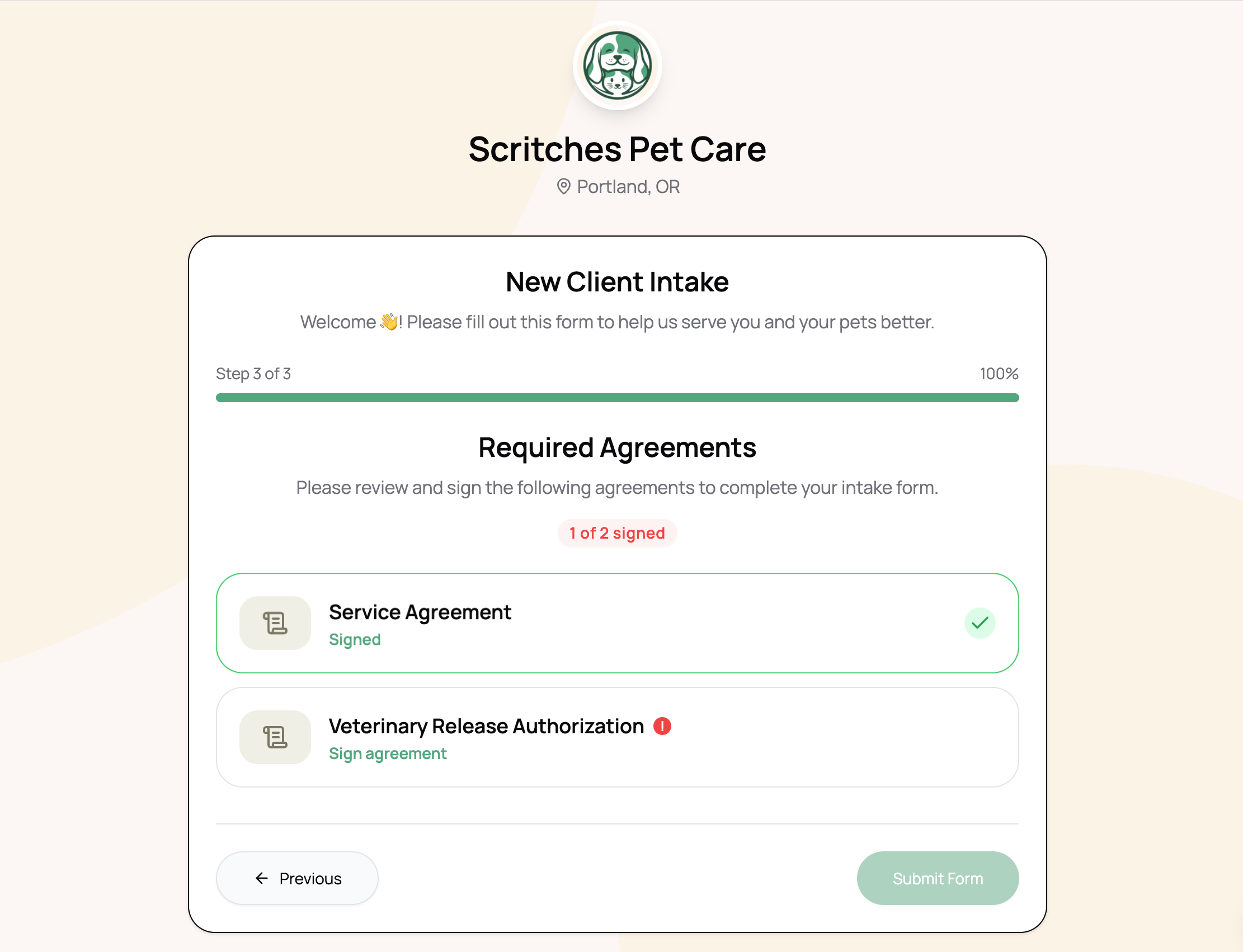
Agreement Requirements
You can attach required agreements directly to intake forms. If a client doesn’t already have a signed copy on file, they’ll be asked to sign before submitting the form.
Agreements + intake = one smooth onboarding flow.
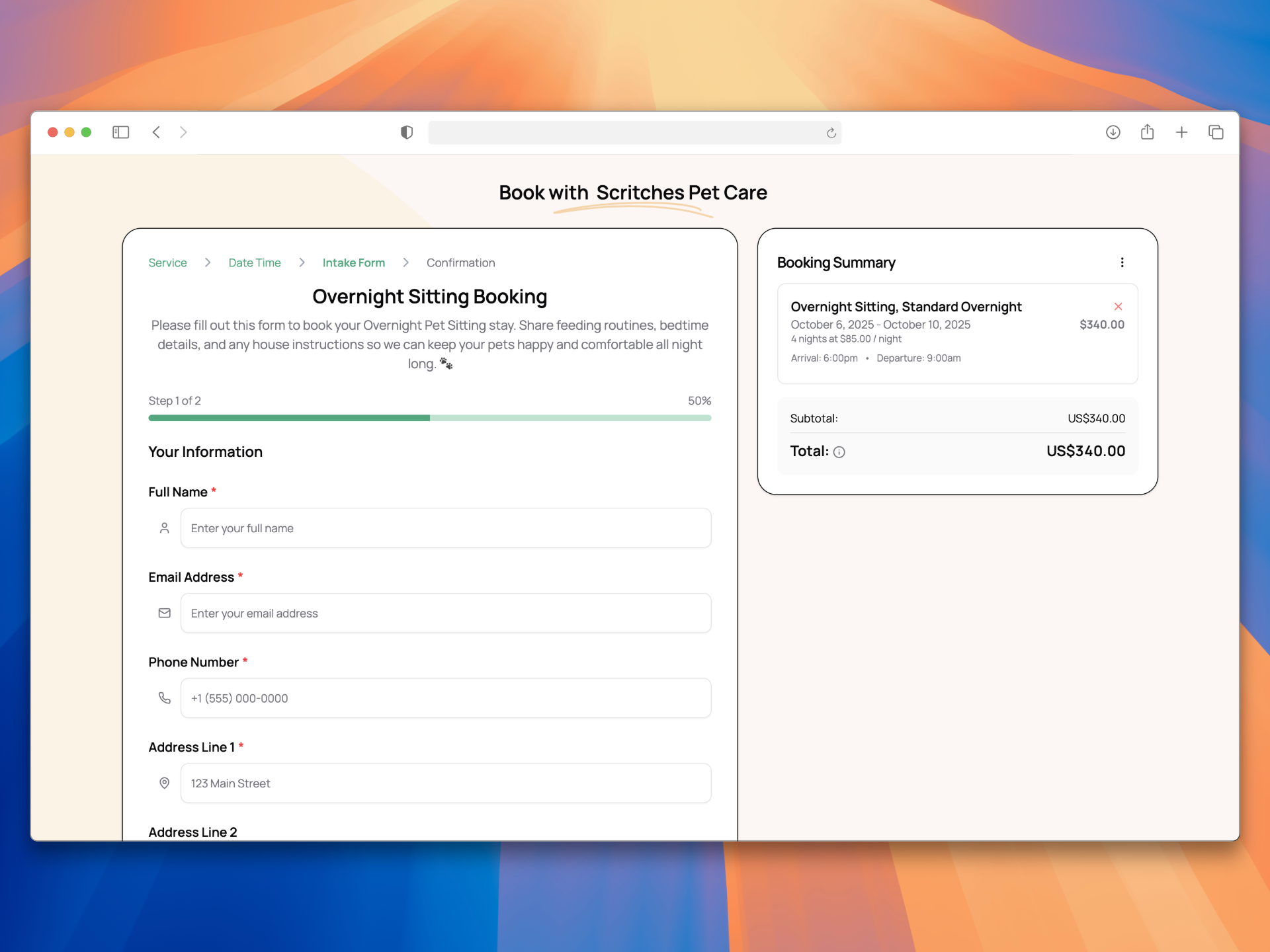
Online Booking Integration
Each service can have its own tailored intake form. Need extra details for overnights? Assign a special overnight intake. Want one universal flow? Assign a single form across all services.
That means when clients book online, they’re prompted for the exact information you need.
Portal Integration
On the new Portal settings page, you can set an intake form as required for registration.
This ensures new clients provide everything you need before accessing the portal. Existing “Active” clients or anyone with a submission already on file won’t need to repeat it.
Now, once that portal welcome email is sent, you can be sure your client will give you all of the info you need.
Vaccine Tracking
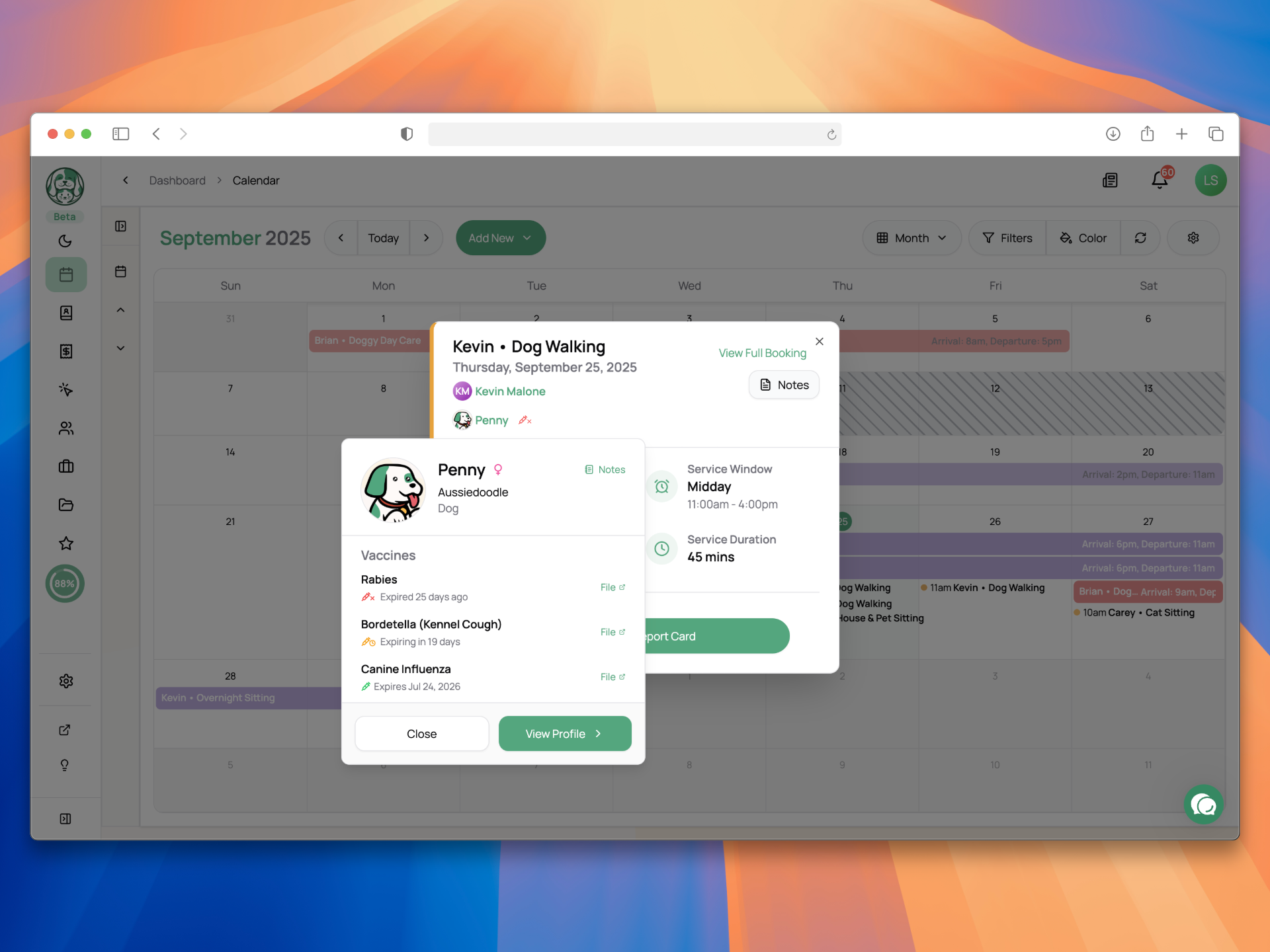
You can now require vaccination records as part of your intake forms, or upload them directly on a pet profile. Both clients and business users can add vaccine documents and set expiration dates.
Once saved, Scritches takes care of the rest:
Expiration Tracking – An icon will appear around the app 30 days before a vaccine expires, giving you and your client plenty of time to update records.
Expired Status – A different icon makes it clear when a vaccine is no longer valid
Flexible Uploads – Documents and expiration dates can be submitted through intake forms during onboarding or added later on the pet profile at any time.
This feature works hand-in-hand with Intake Forms, online booking, and client profiles to give you a full picture of each pet’s health requirements.
Real-World Use Cases
Intake forms help you move away from paper packets and scattered spreadsheets, putting all client and pet information into one place inside Scritches. They’re especially valuable for:
Onboarding & Compliance
Replace emailed questionnaires or paper contracts by gathering client details, pet profiles, and signed agreements in one digital flow.
Require vaccination records with uploads and expiration dates before confirming bookings.
Integrate forms directly into online booking for a polished first-time experience.
Or require them at portal signup to guide clients through a structured onboarding flow.
Ongoing Updates & Records
Send existing clients a pre-filled update form each year to refresh addresses, emergency contacts, medications, and routines.
Collect info even from clients who don’t want to create an account, simply share a link or send an email.
Leads & Specialty Needs
Add lightweight inquiry forms to your website to capture new leads right where they find you.
Create focused forms like “New Pet Add-On” or “Training Goals” that feed directly into Scritches, keeping requests out of messy email threads.
Repurpose forms for any type of information you need, not just client intake.
You’re not locked into a single workflow. Use them however you want: send them one-off, or standardize them into your business’s process. This is smarter, automated data collection that adapts to your business and contributes to Scritches’ larger vision of not boxing you into rigid processes.
Other Updates
Calendar styling and bug fix – The monthly view should be much more usable now that the weeks properly align, and styling has been tweaked to fit more info
Pet Profile Picture Placeholders – Updated the default profile picture for pets to match the Scritches brand. They’re super cute, trust me.
Pet Profile Changes - When creating a pet, the only fields required are now Name and Species for greater flexibility. Additionally, Vet Name, Vet Phone, and Vet Address have been added to pet profiles.
Lots of bug fixes, as always
If you experience any issues with this new update, please share them or any feedback to the feedback portal! That’s it for now folks ✌️