Overnights, Boarding, and Day Care with Stay Scheduling
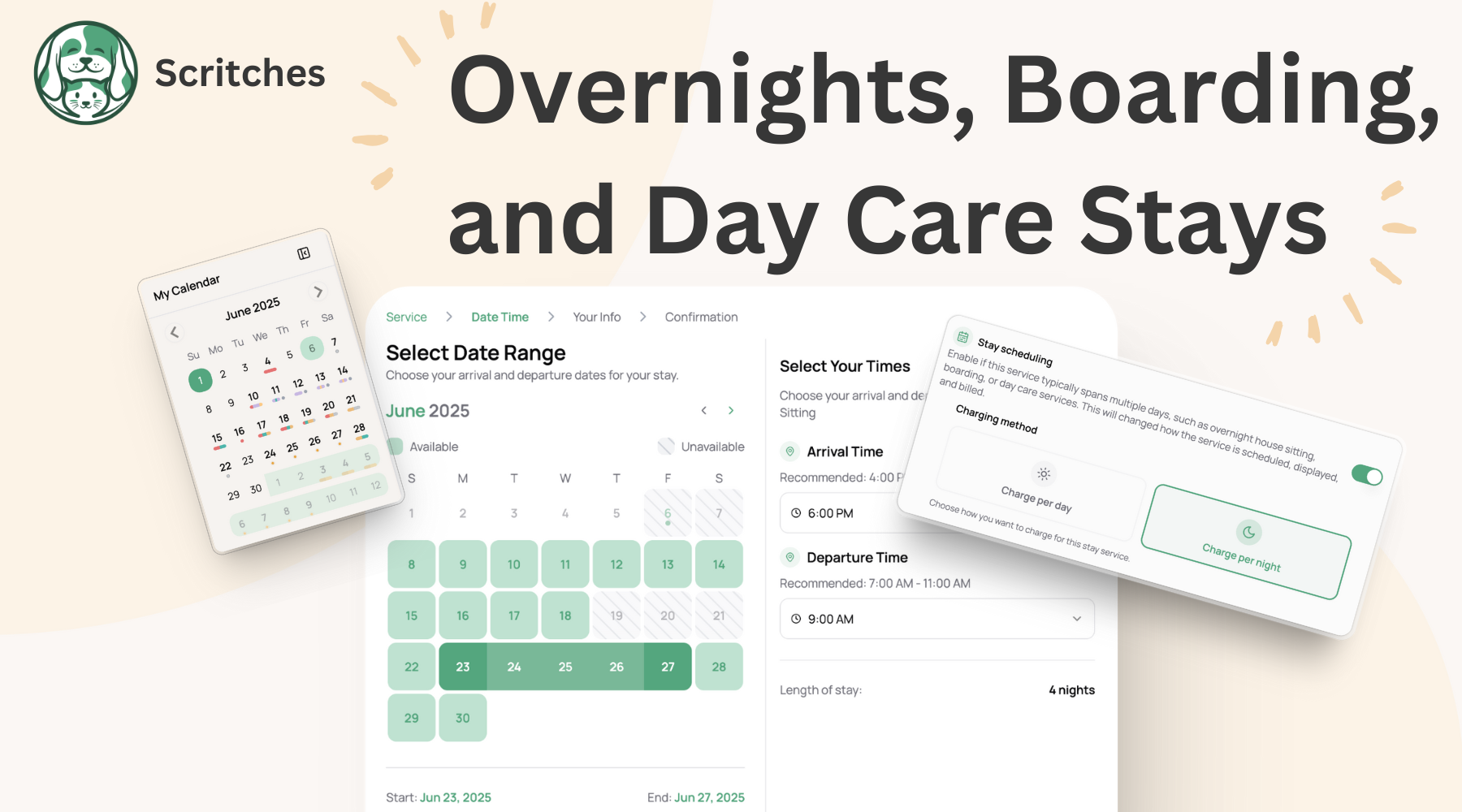
Today brings a much-requested improvement to scheduling for stay-based services like overnight sitting, pet boarding, and dog day care.
You can now enable Stay Scheduling for any service and choose whether it's billed per night (like overnights or boarding) or per day (like day care). This changes how these services are booked, billed, and displayed, making things feel a lot more natural and real-world-friendly.
With stay scheduling enabled, you and pet parents schedule with a range of days or nights, and you can capture specific arrival and departure times. Your calendar stays cleaner too: stays show as full-day events and float above your regular appointments instead of cluttering up your hour-by-hour view.
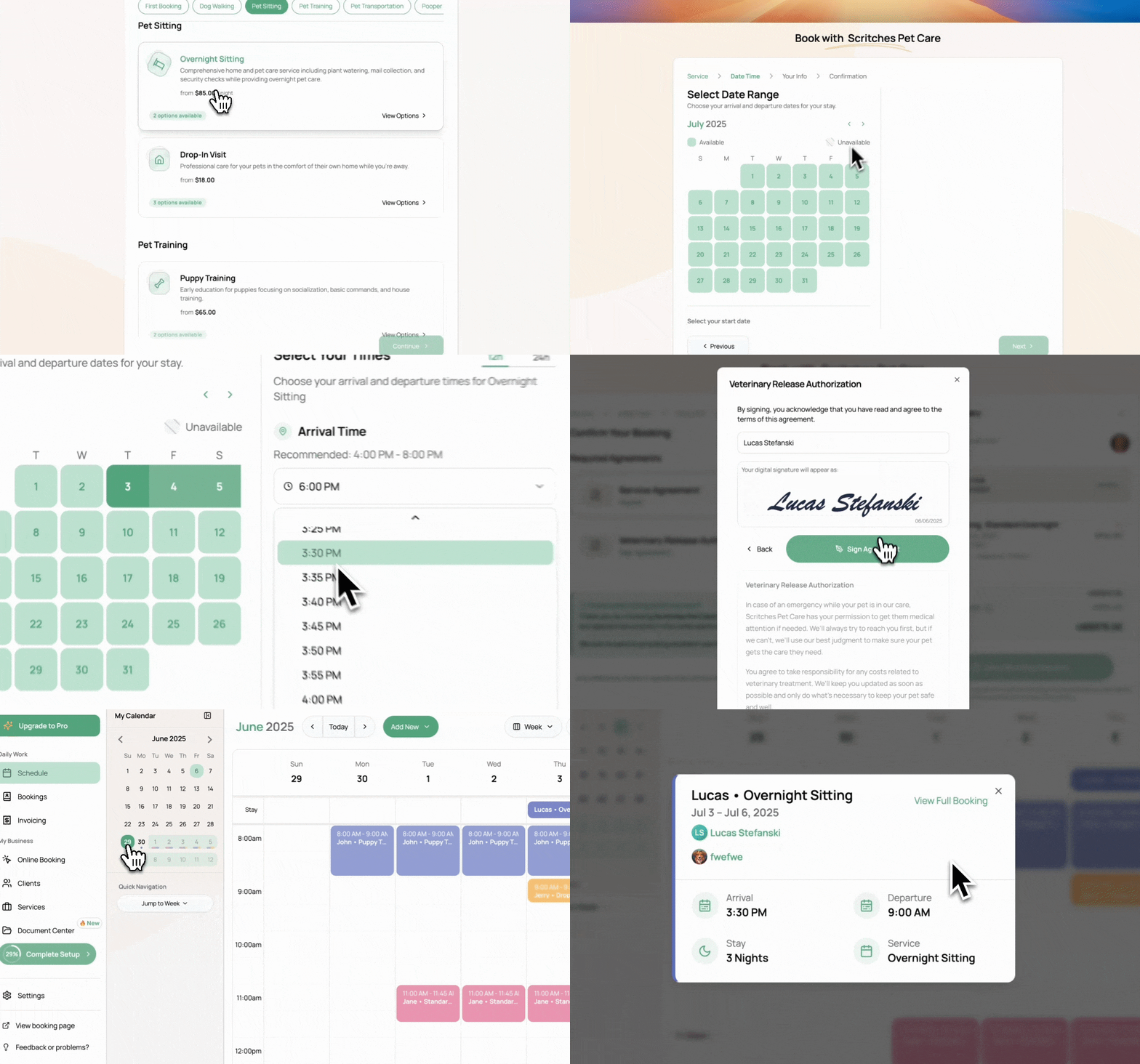
Pet Parent booking:
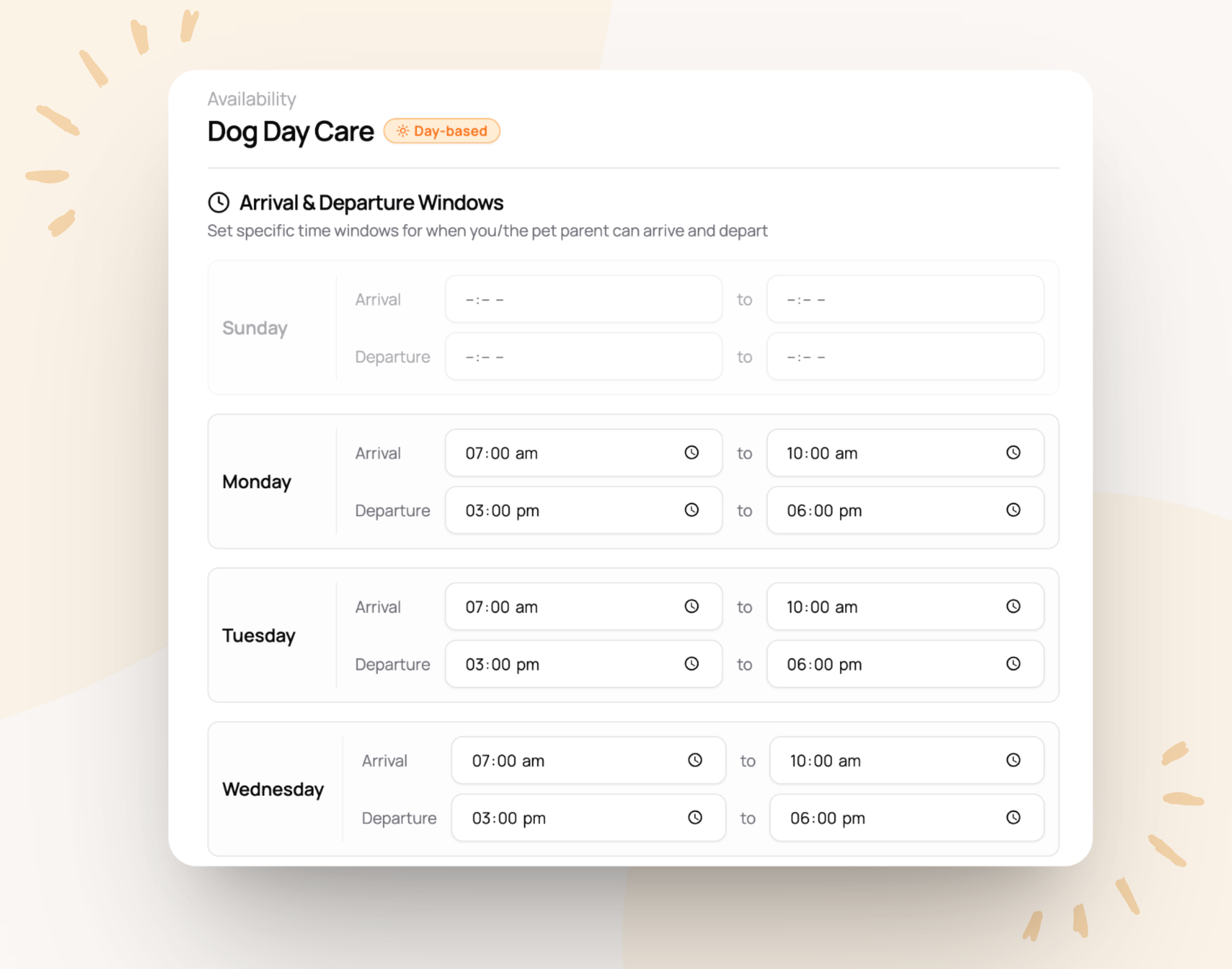
You can also configure arrival and departure windows for each day of the week, super handy if you want to control drop-off and pick-up times for these stays.
This is just the start. While this update might seem small on the surface, it’s a big step toward properly supporting these common pet care services with a lot going on under the hood. I’ll keep building on it over time, especially based on your feedback and real-world use!
New Support Widget
Need help? Click the little widget in the bottom-right while logged in.
It includes handy links, instant messaging, and a new AI chatbot. The bot's still getting its paws under it (it learns from the help center, which is still growing), but you can always ask it to connect you to a human or email me directly at support@scritches.io.
Other Improvements
Lots of small bug fixes
Fixed a few issues with automatic surcharges
Redesigned provider booking flow. It’s now cleaner, smoother, and supports both appointments and stay services
Cancelled bookings no longer show up in Scritches or Google Calendar
Mini calendar in the sidebar now has dot indicators to help visualize busy days
You can now toggle 12-hour vs 24-hour time format in Calendar Settings
Miscellaneous UI tweaks and polish
“Time Off” is renamed to Blocked Time. Update your blocked time here