Can't remove Service Window
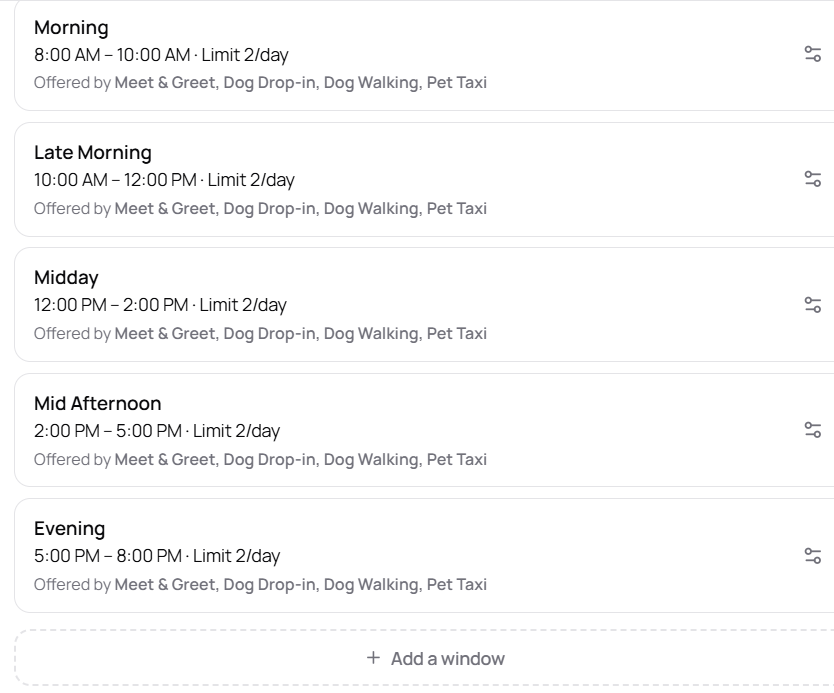
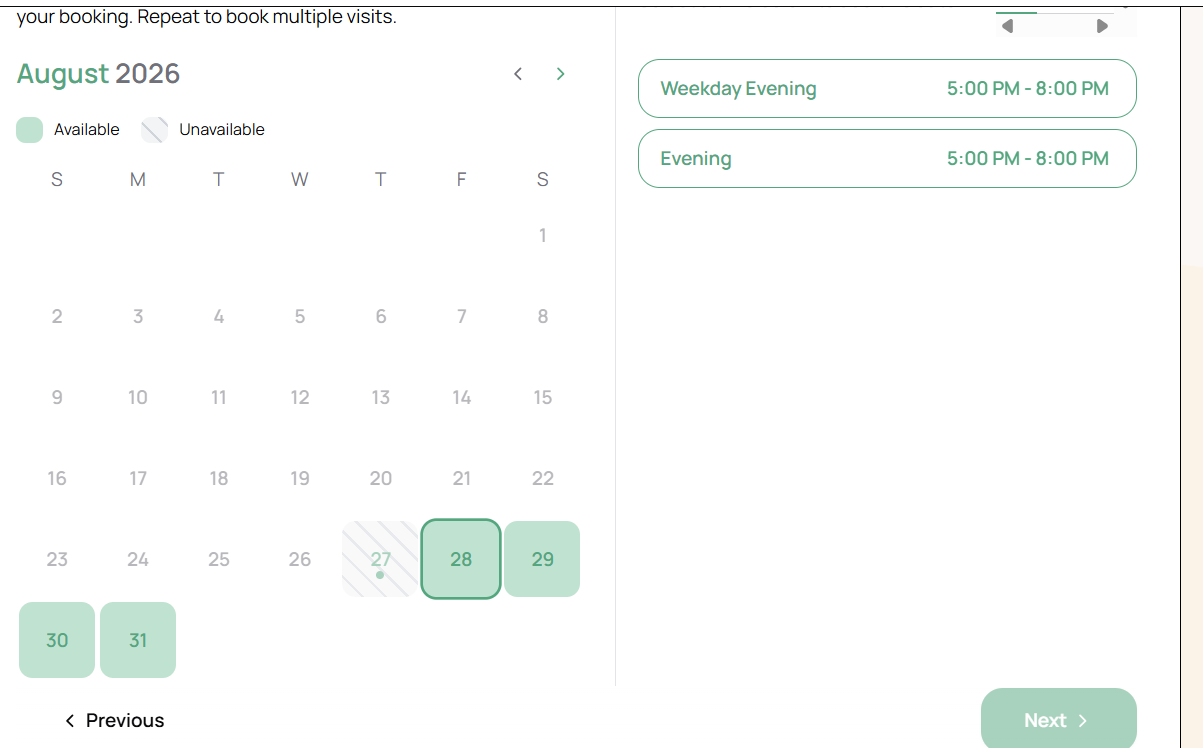
I tried to figure out what the rep was saying to get separate service windows different days of the week so I added a service window for Weekend Evening and for Weekday Evening (one was edited the original name of Evening). It didn't work so I deleted one and renamed the other back to Evening. But now when trying the client booking demo there are both Weekday Evening and Evening service windows for the 5-8pm slot. It is only showing one on my Service Window availability settings for Evening!. Please fix this.
Log in to comment and vote
Comments7
Lucas Steflor
Aug 28
Hey @Diane Carrow , thanks for letting me know. Getting a fix for this soon!
Diane Carrow
Aug 28
Thanks! Is it a known issue systemwide or just mine? Do you have an approximate idea of how ling it may take? Appreciate your help.
Lucas Steflor
Aug 28
Hey @Diane Carrow , it’s a new issue as a side effect of some of the new availability settings added recently (exact time scheduling and improved daily limits). The fix should be live in 15-20 mins!
Diane Carrow
Aug 28
I figured since it was new. No way! That’s awesome I’ll check it later. You guys are wonderful!!
Lucas Steflor
Aug 28
of course!
Lucas Steflor
Aug 28
Fix is up, but quick fyi, you may need to reset your booking page’s local state to see it, since the booking page saves your session and may still be using the previous version.
You can either hit the “Reset your booking" button, or just wait a few hours, and it will reset automatically.
Diane Carrow
Aug 28
Very awesome, yes looks like it’s fixed.