Service Agreement PDF bugged formatting/Legibility/Sizing
I notice that the formatting for the service agreement uploaded as a PDF is bugged on both desktop and mobile. Not sure if this exists using plain text instead.
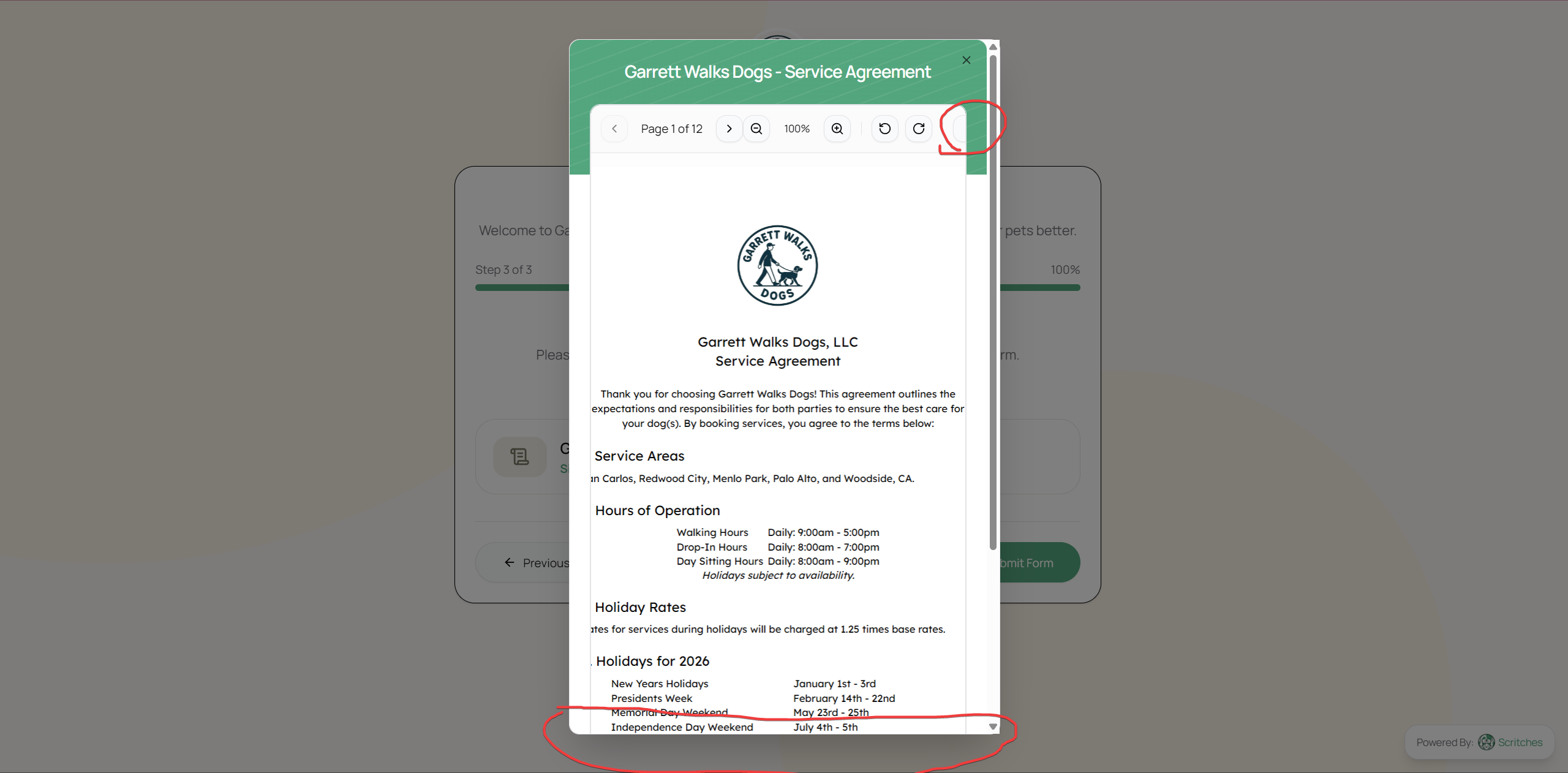
100% - This is about 40% smaller than what it should be (using google docs/pdf viewers as comparison), making it quite difficult to read at maybe a size 8 font. The red is highlighting the download pdf/open pdf button is tucked under the UI element on the right and only becomes more visible at 60% zoom. With the Sign button being only accessible via scrolling.
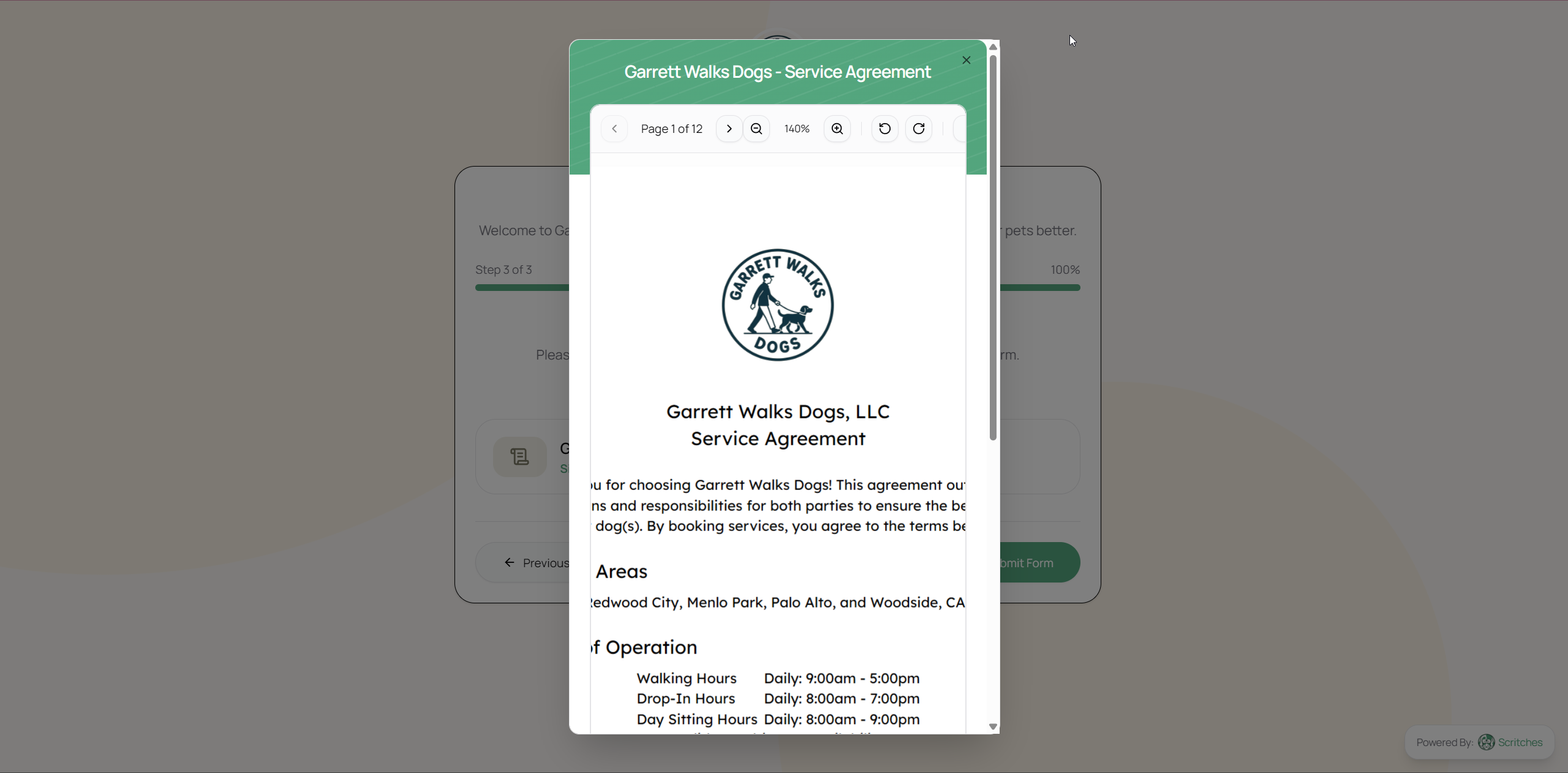
140% - This is the correct sizing for the document but it ends up being cut off on the margins quite significantly.
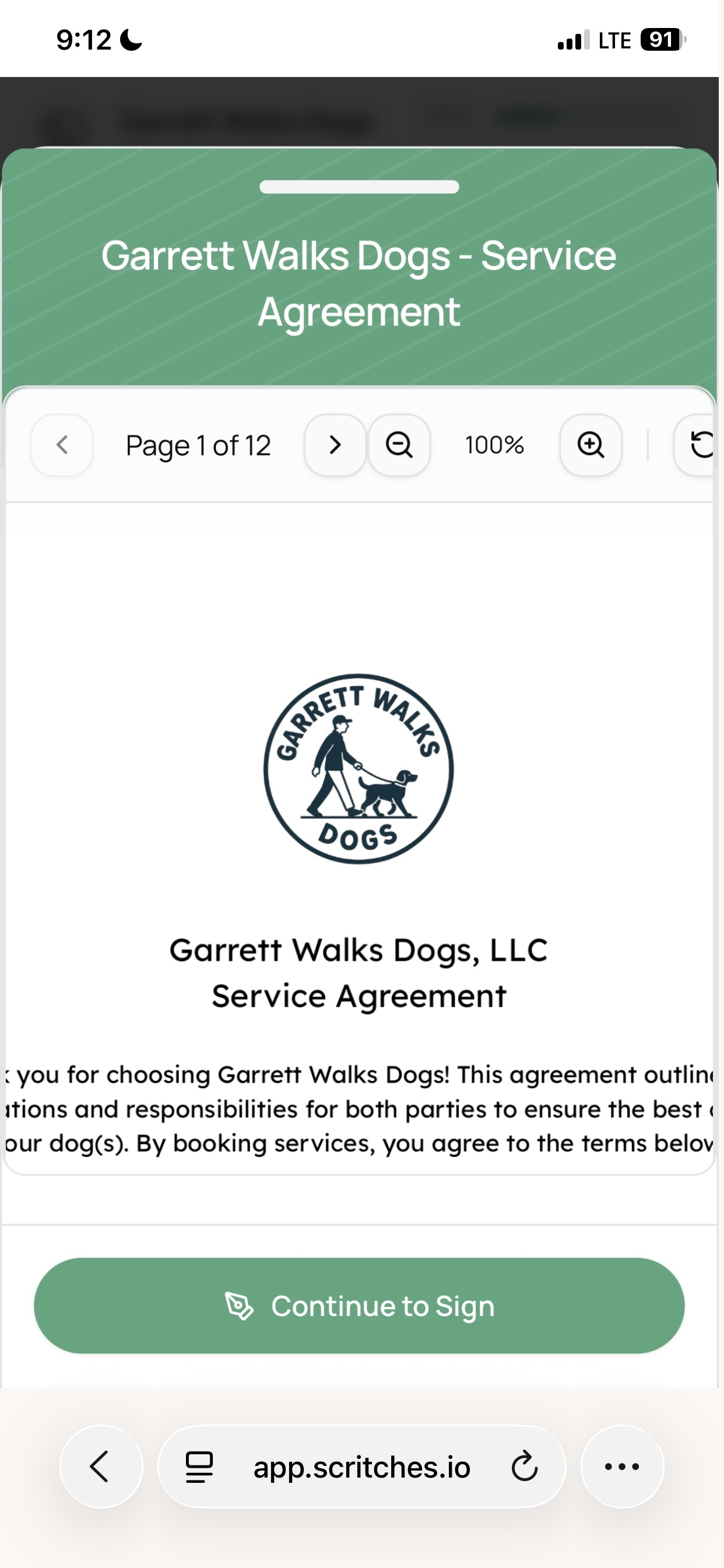
This issue is also on mobile where there is no scroll functionality, zooming out to 50% you can’t see the bottom of the page and the download pdf also isn’t accessible here.
Log in to comment and vote
Comments4
Lucas Steflor
Jan 13
Hey @Garrett Lockhart & @Eve Burnett . I made a fix that should make PDF contracts much more legible on mobile & desktop now.
Garrett Lockhart
Jan 13
I saw that, thank you so much!
Lucas Steflor
Jan 7
Hey @Garrett Lockhart ! Thanks for letting me know about this. I’ll have to adjust the PDF viewer a bit to make sure it’s sizing the uploaded document appropriately. You shouldn’t see these issues with the text formatting upload option.
Lucas Steflor
Jan 7
Also, appreciate the screenshots and extra details you included 🙂