Time zone issue
Hi Lucas, I'm currently traveling and it seems the time zone is affecting all bookings.
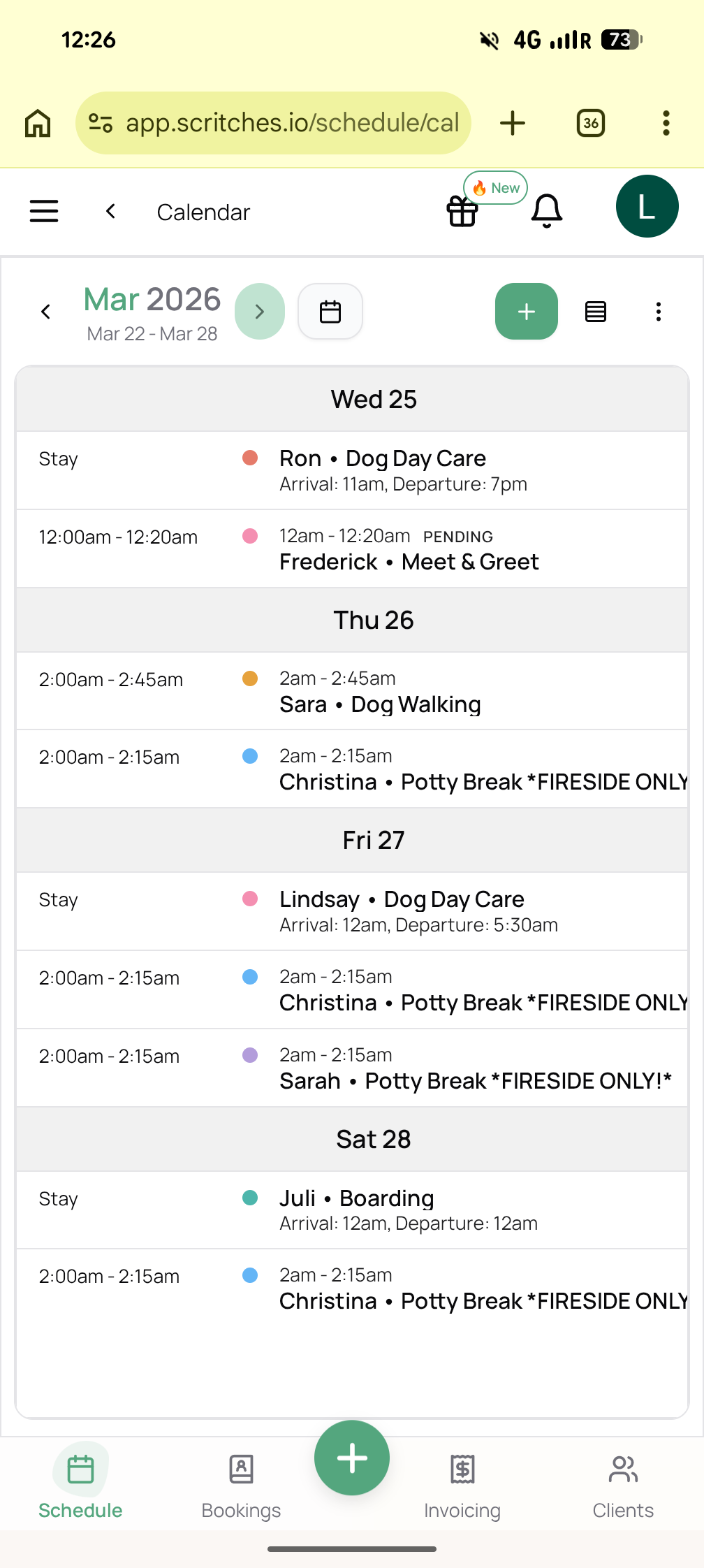
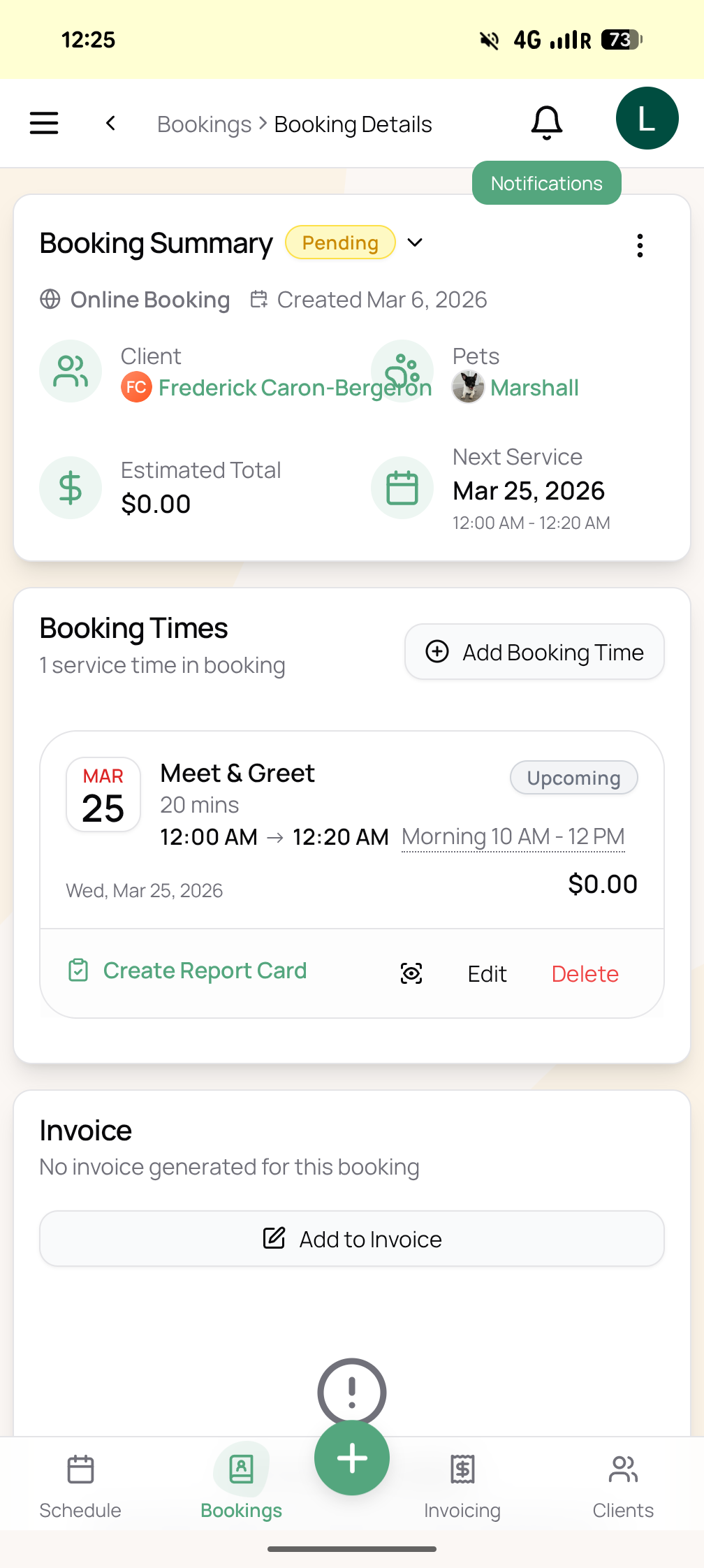
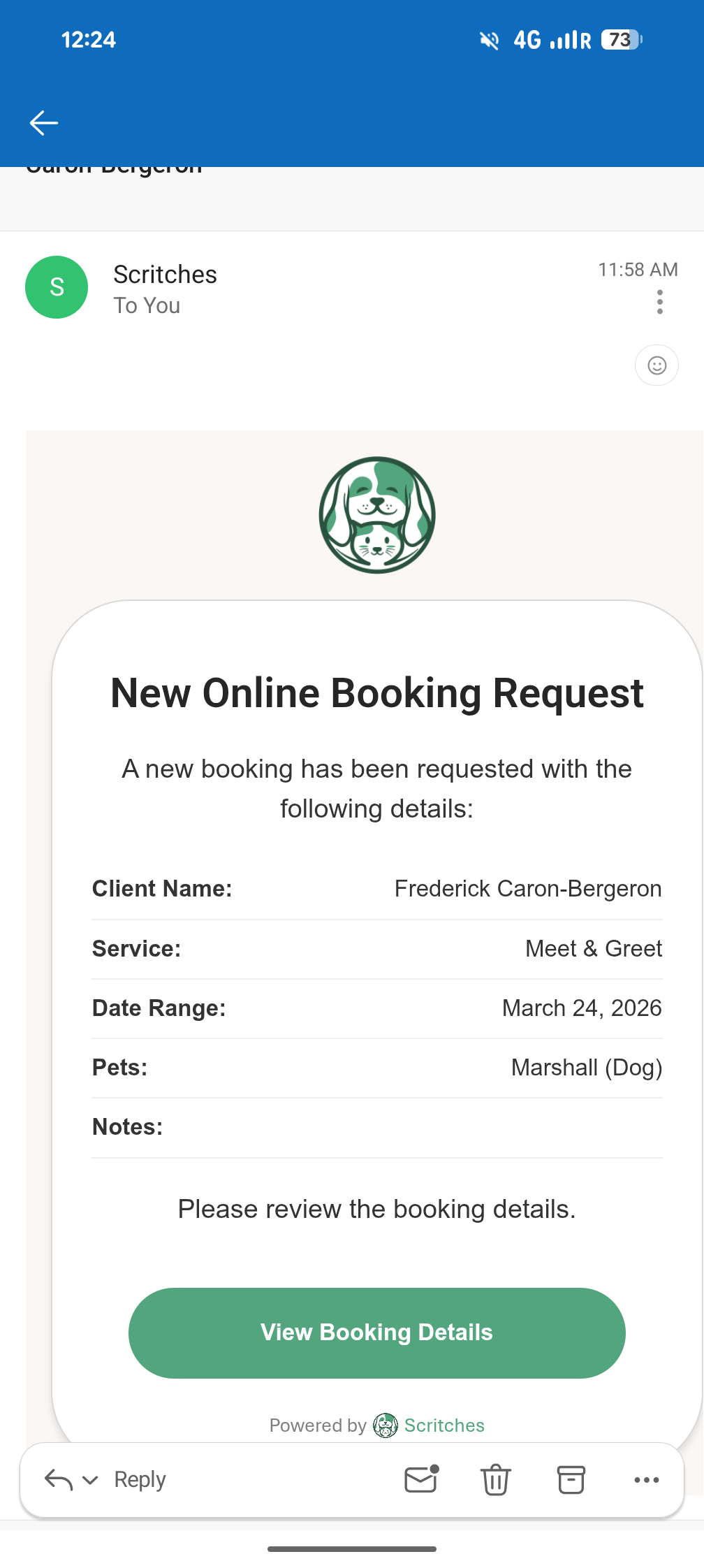
New requests are showing with wrong date/time (see screenshot of e-mail compared to request on the platform) and the same is happening to the already scheduled bookings on my calendar (all showing at ungodly hours) which makes it super hard to work on my schedule while I’m away.
Any fix for this?
Thanks a lot!
Log in to comment and vote
Comments1
Lucas Steflor
Mar 6
Hey @Léa Pertuy ! Thanks for flagging this. You're right, the timezone handling could use some work when you're traveling. I'm going to get a proper fix in place so scheduling times stay anchored to your business timezone & relative times (e.g., 5 minutes ago) auto follow your timezone.
In the meantime, you can workaround this by setting your device's timezone manually to your home city:
iPhone/iPad: Settings → General → Date & Time → turn off "Set Automatically" → select your home city timezone
Android: Settings → System → Date & Time → turn off "Set time zone automatically" → select your home city timezone
Laptop/Desktop: Same idea, go into your date/time settings and switch from automatic to your home timezone manually.
Everything should show correctly after that. Just remember to switch it back to automatic when you're home!